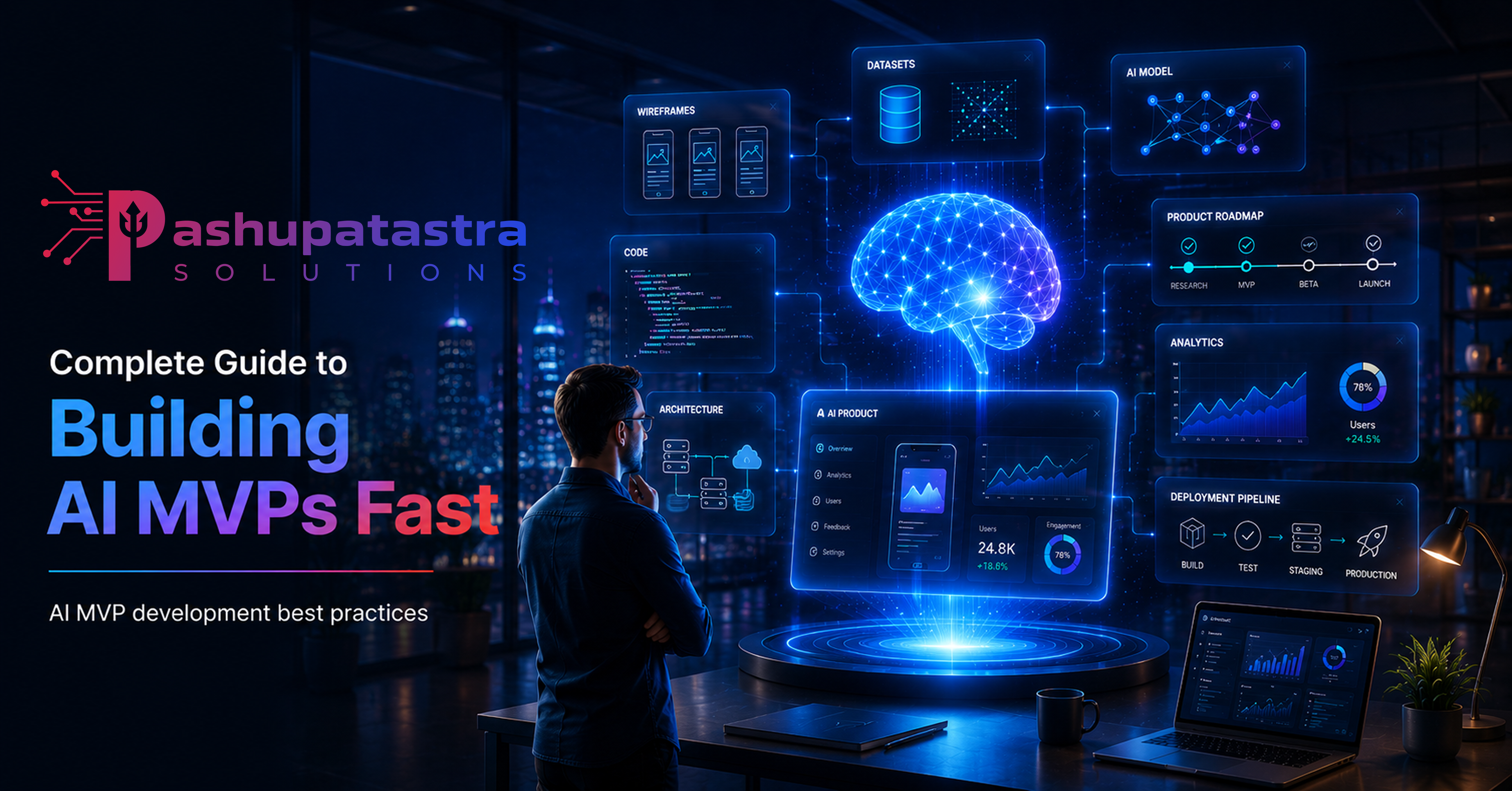
Building a Minimum Viable AI Product (AI MVP) means delivering just enough intelligence to solve a user’s core problem and test your business hypothesis. This guide walks through every step—problem definition, scoping, data strategy, model selection, architecture, tooling, prototyping, evaluation, deployment, and monitoring—to help you move from idea to working prototype in weeks. It includes team roles, cost/time estimates, common pitfalls, real examples, and actionable templates (PRD outline, data plan, evaluation matrix, checklists). By focusing on lean scope and rapid iteration, you can validate your AI concept quickly and affordably. (For example, McKinsey estimates that GenAI can cut development time by 30–50%.)
Introduction
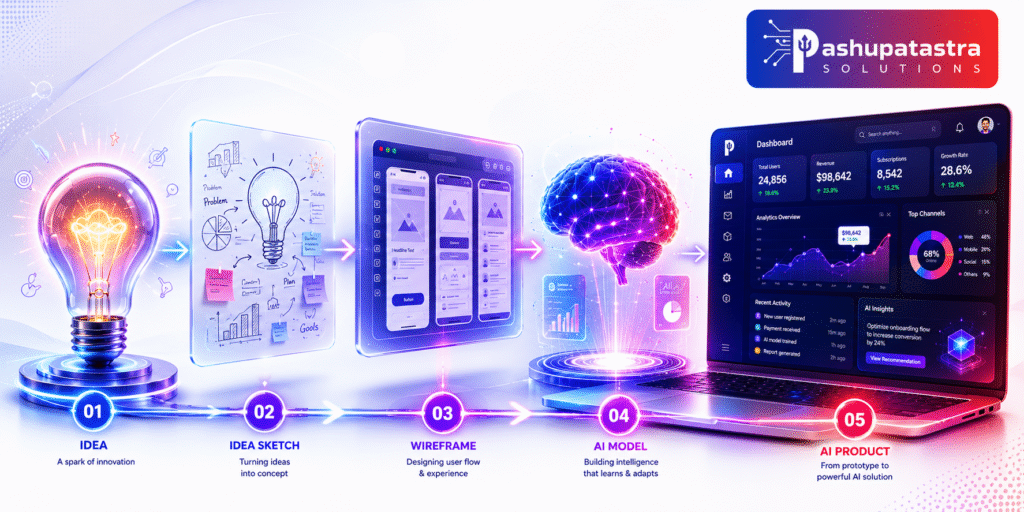
A Minimum Viable Product (MVP) is the simplest product version that still delivers core value to users. An AI-powered MVP adds intelligence (e.g. predictions, natural language, recommendations) at its core. This means focusing on one narrow AI feature that proves the concept. Done right, an AI MVP lets you validate ideas fast and build real user feedback into your roadmap. Instead of building a full product (which is 30–60% more costly initially), you develop a lean prototype to test critical assumptions. This approach saves time and money while learning what users truly need. Yet 42% of startups fail by solving the wrong problem, so rigorous scoping and validation are key. This guide covers the end-to-end process of building an AI MVP quickly, with best practices, templates, tools, and real-world examples to help you succeed.
1. Problem Framing

Start by defining the user problem clearly. Avoid the common pitfall of “AI for AI’s sake.” Identify a real pain point or opportunity where AI adds value, such as automating a tedious task or providing insights that are hard for humans to see. Ask: What question are users struggling to answer? What task could be simplified with intelligence? Frame your hypothesis, e.g. “If we build an AI feature X, users will get Y benefit and use the product.” Define success metrics early (accuracy, response time, engagement, conversion, etc.) so you know what to measure. These might include model metrics (precision, F1) and product metrics (usage rate, customer retention). A clear problem statement and testable hypothesis focus the team and avoid waste.
- Action Step: Write a one-sentence problem statement and a hypothesis. For example: “We will build an AI email summariser to save users time; success means 70% of users agree summaries are helpful.”
- Key Advice: Ensure the problem is worth solving. Up to 42% of startups fail because there’s no real user demand. Validate that the pain point exists (through surveys or interviews) before coding.
2. Scoping the AI MVP
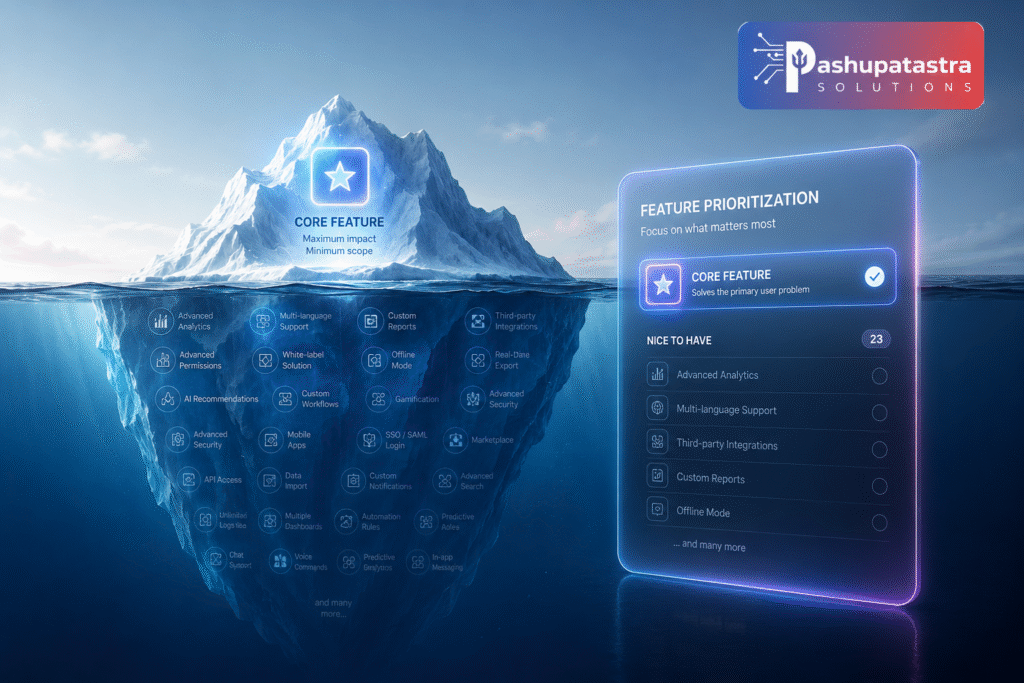
With the problem defined, scope ruthlessly. Identify the smallest AI feature that delivers value. For instance, instead of building a full customer support bot, start with “AI suggests reply drafts” for the top 10 query types. As Catalect advises: “Ask yourself: What is the smallest AI-powered feature that still solves the problem?”. Limit features to this core; everything else is a distraction. A narrow focus accelerates build and clarifies validation.
- Define Core Functionality: Choose one AI capability (generation, classification, search, etc.) at the heart of your MVP. For example: “A sentiment classifier for customer reviews” or “A GPT-based assistant to draft reports.”
- Success Criteria: Set quantitative targets (e.g. “>75% accuracy on test data”, or “users spend 30% less time on task”).
- Outputs: Create a mini PRD (product requirements document) or feature spec (see template snippet below) outlining scope, features-included, and features-out.
3. Data Needs and Acquisition
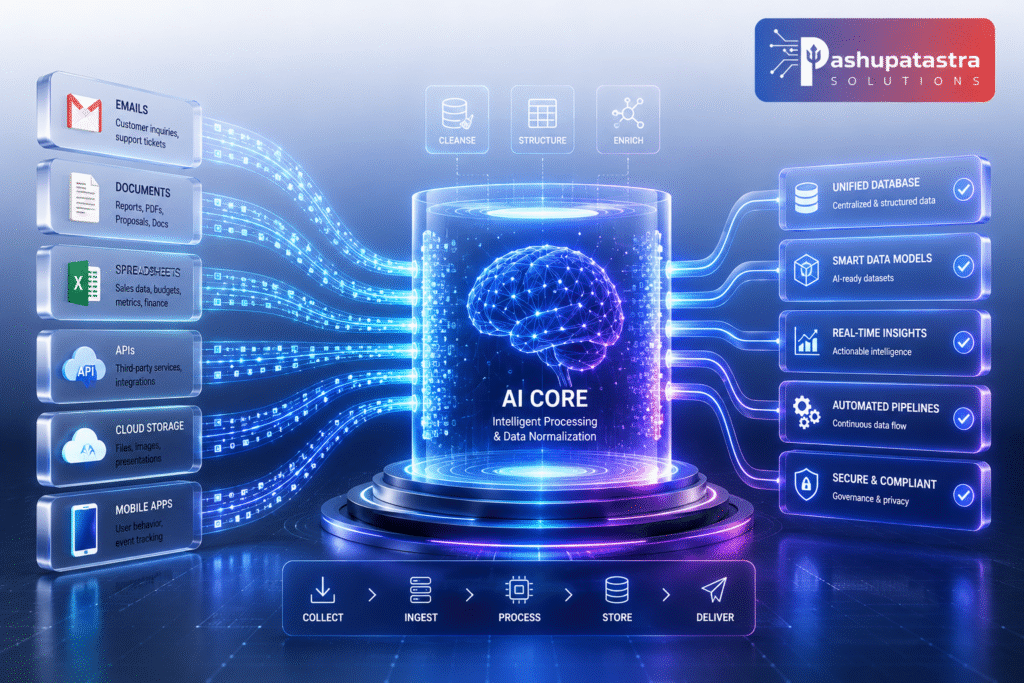
Data is the fuel for AI. Outline what data you need to train and test your model. Do you need historical logs, images, text documents, labeled examples? Identify sources (internal databases, public datasets, third-party APIs) and plan how to collect/label. Remember, for an MVP you need enough data to validate, not perfection. In fact, a common pitfall is “chasing perfect data” and delaying launch. Instead, gather a representative sample and use human review to catch errors in early outputs.
- Data Collection Plan (Template): List data sources (e.g. customer emails, sensor logs), volume needed, labeling method (e.g. crowdsourcing, expert annotation), storage location, and schedule for collection. Ensure you address privacy and compliance (e.g. anonymize PII).
- Synthetic Data / Augmentation: If real data is scarce, consider generating synthetic examples or augmenting existing data (e.g. image transformations, GPT-3.5 for text augmentation). Use external APIs only after confirming data usage policies.
- Pitfall to Avoid: Waiting to launch until all data is “perfect.” Early feedback matters more than pristine datasets. Build a small initial dataset and refine with user feedback.
4. Model Selection and Architecture
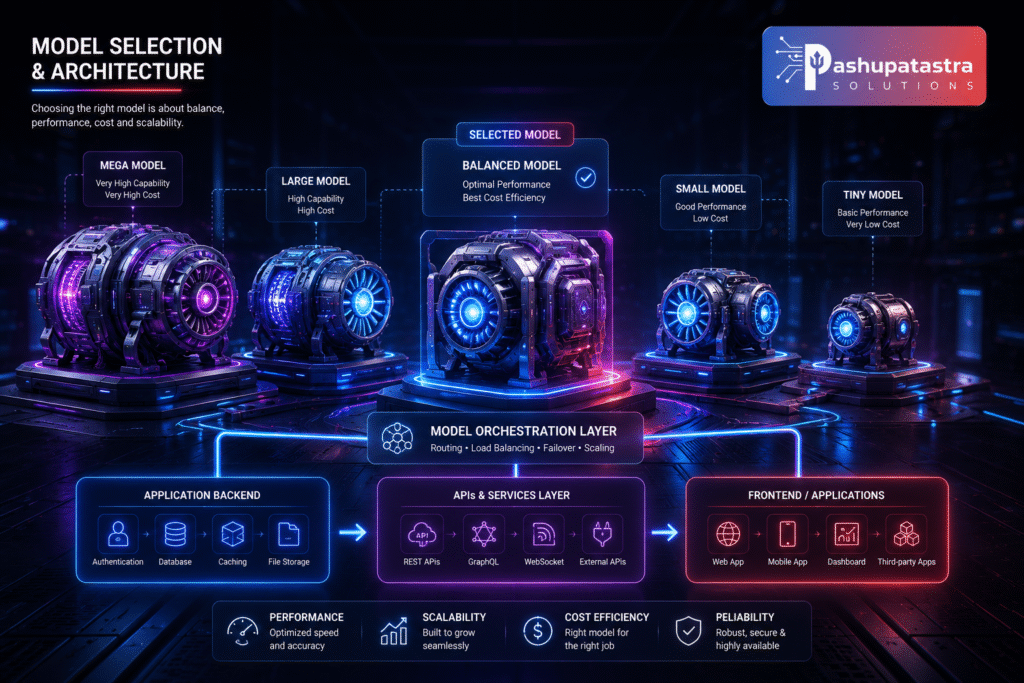
Choose a model and architecture that match your problem and MVP constraints. For most MVPs, start with pre-trained models or APIs to save time. For example, use OpenAI’s GPT-4 API for text tasks or a BERT-based model for classification. Pre-trained solutions let you validate quickly; only invest in custom training after proving user demand. Consider these trade-offs:
- Speed vs Accuracy: Larger models (GPT-4, deep CNNs) may be more capable but slower/expensive. Smaller models (DistilBERT, MobileNet) are faster and cheaper. If latency is critical or users need instant results, a lightweight model may win.
- Complexity vs Control: Pre-trained APIs (OpenAI, Hugging Face Inference) simplify development but offer less tweakability. If your domain requires strict accuracy or proprietary data use, consider fine-tuning a model yourself later.
- Context Size: For text tasks, check the model’s context window. If you need to process long documents, pick a model with a larger window to avoid truncation.
- Costs: Estimate inference costs (per 1K tokens or API call) versus hosting costs. Use cost calculators (e.g. OpenAI pricing) to budget.
Architecture (Thin MVP Stack): Design the leanest architecture that supports testing your hypothesis. Typical MVP components include:
- User Interface: A simple web or mobile interface or embedded workflow for users to interact with the AI feature. It should only include necessary inputs/outputs.
- Application/Backend: Business logic, API calls, prompt engineering, rule-based fallback logic, and logging. For MVP, this can be a lightweight service or serverless function.
- Model Layer: The AI itself — e.g. an API call to an LLM, a small classifier model running on a cloud instance, or a retrieval system (RAG) if pulling from documents.
- Data & Analytics: Storage for input/output logs, user actions, and model responses. These allow you to analyze performance and user interactions. Even a simple database or spreadsheet log can suffice initially.
- Human-in-the-Loop: Many AI MVPs work best if users can correct or review outputs. E.g., a “Did this answer your question?” button or an override option. This feedback helps improve the model.
“Minimal architecture” doesn’t mean sloppy—it means every component exists to test your hypothesis. Prototype systems should be easily inspectable (e.g. you can trace outputs back to inputs, prompts, and data).
Avoid Over-Engineering: In an MVP you don’t need complex orchestration or full scalability from day one. For example, use a single cloud provider (AWS, GCP or Azure) for your demo: one managed database, one compute instance or function, and one model endpoint. This keeps deployment and integration simpler.
5. Tools and Technology Stack
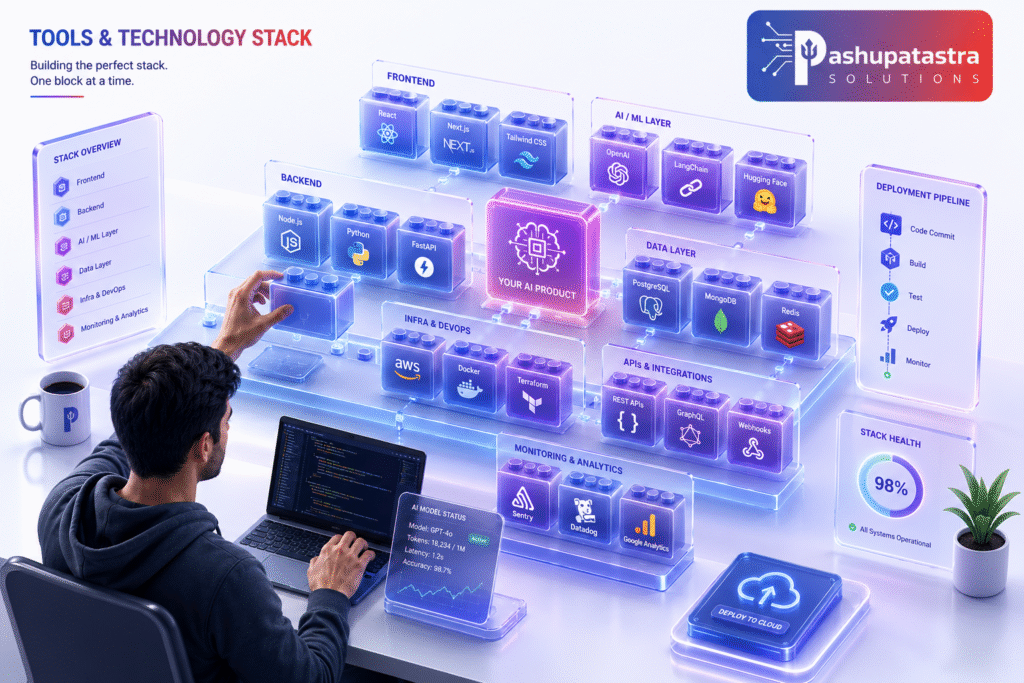
Choosing the right tools accelerates development. Consider these categories and examples:
- Cloud AI Platforms: AWS SageMaker, Google Vertex AI, Microsoft Azure ML. These offer end-to-end pipelines (data, training, deployment) and often AutoML features. Pros: Integrated services, managed infrastructure, security compliance. Cons: Vendor lock-in, learning curve, cost can scale.
- Model Hubs and APIs: Hugging Face (Transformers and Inference API), OpenAI/Anthropic APIs, Google Cloud AI APIs (Vision, NLP). Pros: Instant access to state-of-art models, easy to test. Cons: Usage costs, data privacy (check terms), limited customization.
- ML Frameworks: TensorFlow, PyTorch, scikit-learn, spaCy for NLP. Pros: Full control and customization, large community. Cons: Requires ML expertise and infrastructure.
- Prototype UI Tools: Streamlit, Gradio, Retool. These let you quickly build interactive UIs for models without heavy front-end coding.
- MLOps & CI/CD: MLflow, Kubeflow, Azure ML Pipelines, Sagemaker Pipelines, Weights & Biases, Flyte. Use these to track experiments, version models, and automate retraining. For a fast MVP, keep it simple: track runs manually or with MLflow; deploy manually or with simple scripts.
- Deployment: Docker containers, Kubernetes, or serverless (AWS Lambda, Google Cloud Functions) for the model/API. Many prototyping apps simply run on a single VM or serverless function initially.
| Tool/Platform | Category | Key Features | Pros | Cons | Cost |
| AWS SageMaker | Cloud ML Platform | End-to-end model building, hosting | Integrated data-labeling, AutoML, MLOps pipelines | Platform lock-in, complex for MVP | Pay-as-you-go (instances, API calls) |
| Google Vertex AI | Cloud ML Platform | Pipeline orchestration, AutoML | Scales well, integrates with GCP data sources | New interface for some teams | Pay-as-you-go |
| Azure Machine Learning | Cloud ML Platform | Designer, automated ML, MLOps | Good for Microsoft stack, strong governance | Cost, complexity | Pay-as-you-go |
| Hugging Face Hub/API | Model Hub / Inference | Thousands of pre-trained models, API | Rapid prototyping, large model zoo | Usage-based pricing, data sent externally | API fees or free for community models |
| TensorFlow (TF) | ML Framework | DL library, TFX pipelines | Flexibility, large community, Edge devices | Steep learning curve, verbose | Free (open-source) |
| PyTorch | ML Framework | Research-oriented DL library | Dynamic graph, popular in research, torchtext | Less mature deployment tooling (vs TF) | Free (open-source) |
| MLflow | Experiment Tracking | Tracking experiments, models registry | Simple to deploy, language-agnostic | Needs setup (DB for tracking) | Free (open-source) |
| Kubeflow | MLOps Orchestration | Kubernetes-based ML pipelines | Powerful for K8s environments | Heavyweight to set up | Free (open-source) |
| Streamlit | Rapid UI Prototype | Python-based web app for ML demos | Extremely fast to create demo UI, interactive | Limited styling options, performance | Free (open-source) |
| Docker | Containerization | Package app+model for deployment | Portability, consistency across environments | Overhead if not needed | Free (open-source) |
Table: Comparison of popular tools and platforms (features, pros, cons, cost).
Use this table as a starting point. In practice, most AI startups use a combination: for example, developing a model in PyTorch, hosting inference on AWS Lambda, and building a demo UI in Streamlit or React. Choose what your team knows best while keeping the MVP lean.
6. Rapid Prototyping Techniques
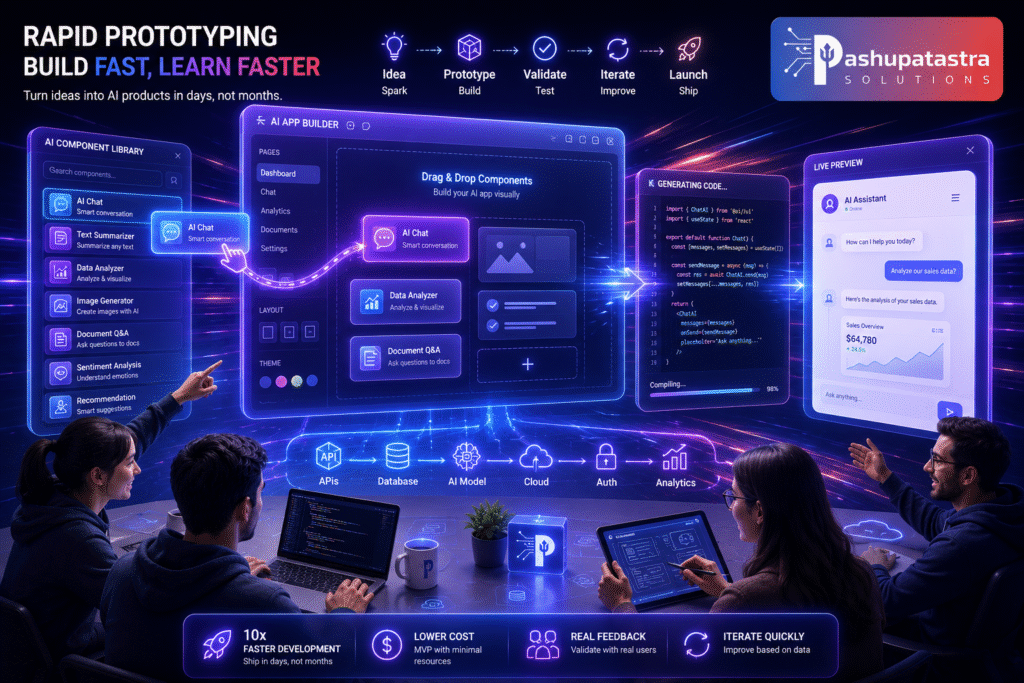
Speed is paramount. Leverage AI-powered accelerators:
- AI-Assisted Development: Tools like GitHub Copilot, TabNine, or GPT-based code assistants can draft boilerplate code, write data pipelines, or generate test cases. Teams report up to 55% faster coding, and McKinsey notes 30–50% faster development with generative AI.
- No-Code/Low-Code Platforms: Use platforms like Google AutoML (Vision/NLP), Microsoft Power Apps with AI Builder, or no-code AI MVP builders that let you drag-drop components. These trade some flexibility for speed. Catalect recommends a no-code prototype step to get a usable version in front of users.
- UI Mockups with AI: Generate wireframes or designs with AI (e.g., MidJourney/Stable Diffusion prompts, Figma plugins). This lets you iterate on UX without full front-end development.
- Pre-Built Components: Instead of custom-build everything, use existing solutions: e.g. embed a chatbot widget, use Auth0 for login, or Amazon Rekognition for basic image analysis. Your job is to integrate them, not re-create them.
“In MVP mode, progress > perfection.” Aim to have a working model+UI pipeline quickly. For example, host your prototype in one cloud environment to simplify deployment. Once the AI prototype is live, release it to a small group of test users and iterate based on their input.
Example Tools: Quick prototyping often uses environments like Jupyter/Colab for initial testing, then Streamlit or Gradio for demos. For LLM apps, tools like Hugging Face Spaces, LangChain, or OpenAI’s function calling can glue things together. Don’t forget version control and issue tracking even for the prototype code – it will save headaches when iterating.
7. Building the Prototype
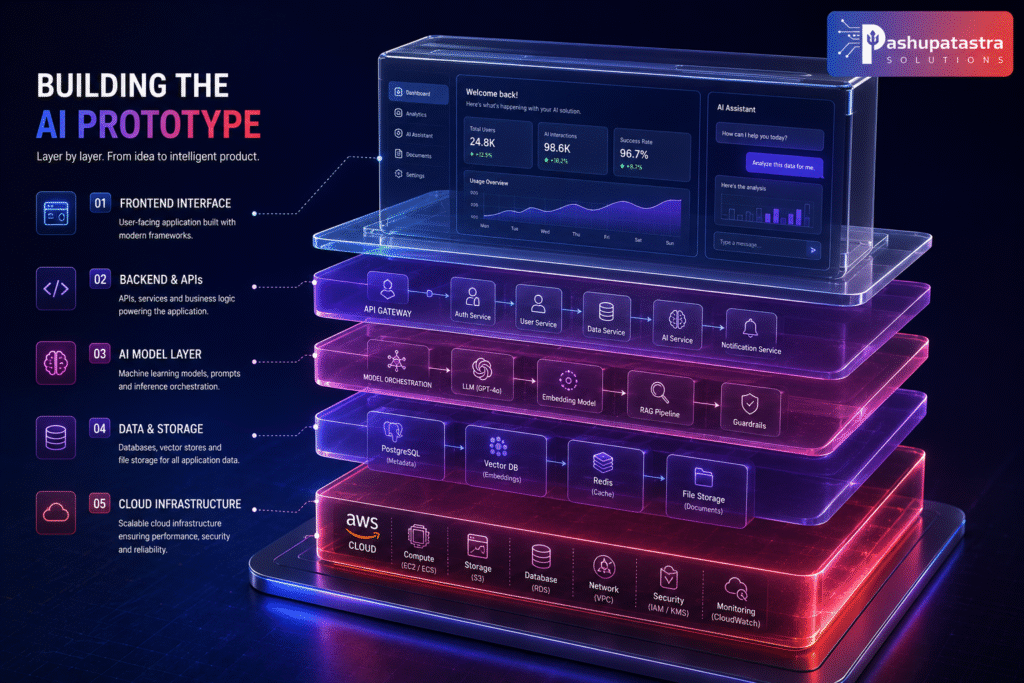
With your plan, data, and tools, start building the MVP in layers:
- Backend & Model Integration: Develop the core AI service first. For instance, build a REST API endpoint that takes inputs and returns model predictions or generation. This could be a Python Flask app deploying your model. Connect it to your chosen model (loaded on server or via API).
- User Interface: Create a minimal UI that calls the AI backend. This could be a simple webpage or mobile screen with text fields/buttons. Ensure users can easily give input and see output. The UI should only support the AI feature; other product UI elements can be mocked or stubbed out.
- Logging & Feedback: Instrument logging from day one. Log inputs, model outputs, and user actions. If possible, build in a “thumbs up/down” or comment field so testers can flag mistakes. This data is gold for tuning.
- Basic Guardrails: Even in MVP, add simple checks: e.g. filter offensive output, handle errors gracefully, and fallback to a safe message if the model fails.
- Define Problem
- Scope MVP
- Collect & Prepare Data
- Select Model/Tools
- Develop Prototype
- Test with Users
- Collect Feedback
- Iterate & Improve
- Deploy & Monitor
- Show code
- Mermaid Flowchart: High-level AI MVP development workflow.
In each step, prioritize speed: deploy components in one environment (e.g. all on AWS with Lambda, S3, and API Gateway) to avoid cross-cloud complexity. After building the prototype, test it yourself and with colleagues to iron out obvious issues before user testing.
8. Evaluation Metrics
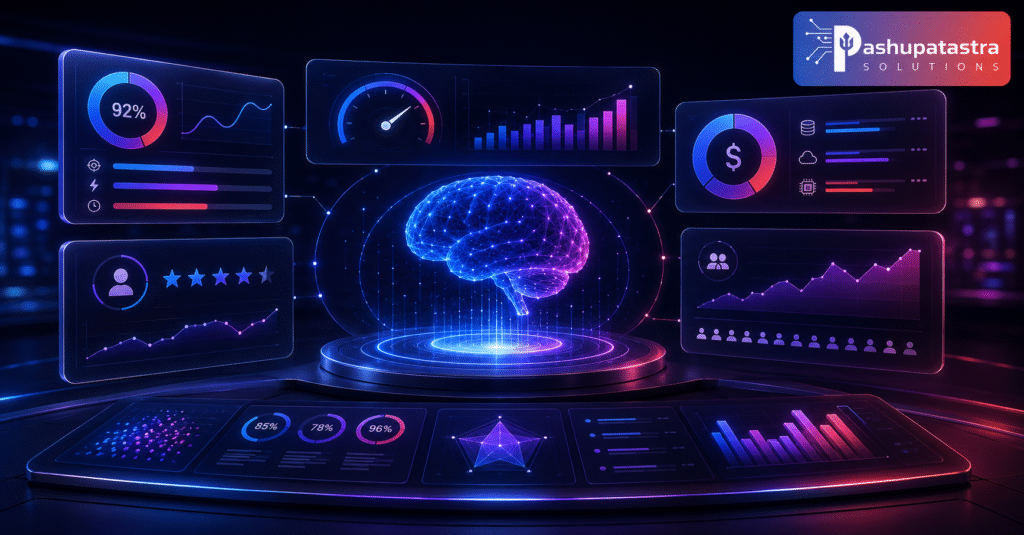
Model Metrics: Track traditional ML metrics on a validation set (accuracy, precision/recall, F1, BLEU, RMSE, etc. depending on task). However, an MVP’s primary goal is not just model score—it’s learning about user value.
Business/User Metrics: Measure user engagement: Did users actually use the feature? How often? Track conversion or retention if applicable. For example, if the feature is “AI-powered search,” measure click-through rate or time on site improvement.
Evaluation Matrix (Template): Create a table of dimensions vs metrics to track. For example:
| Dimension | Metric | Target | Current | Notes/Actions |
| Accuracy / Quality | Model test accuracy/F1 | ≥80% | 75% | Collect more data in low-precision classes |
| Relevance / Helpfulness | User satisfaction rating | ≥4/5 | 3.8 | Improve prompt wording, add context |
| Performance | Inference latency | <200ms | 250ms | Try smaller model or optimize code |
| Reliability | Error rate (crashes) | <1% | 2% | Fix exception handling |
| Cost Efficiency | Cost per 1k inferences | <$1 | $0.80 | On target |
This kind of evaluation matrix (adapted from AWS Guidance) ensures you track both technical and user-facing success criteria. Review it weekly and iterate.
Human Evaluation: For generative or ambiguous tasks, consider human raters. You might ask test users to rate outputs, or use a stronger AI (e.g. GPT-4) to score your model’s outputs for fluency or accuracy.
Go/No-Go Checkpoint: Before scaling, confirm your MVP hits minimum requirements. For example, “≥70% acceptance in A/B test vs. baseline” or “feature used in X% of user sessions.” If targets aren’t met, iterate on data and model first.
9. Deployment and Monitoring
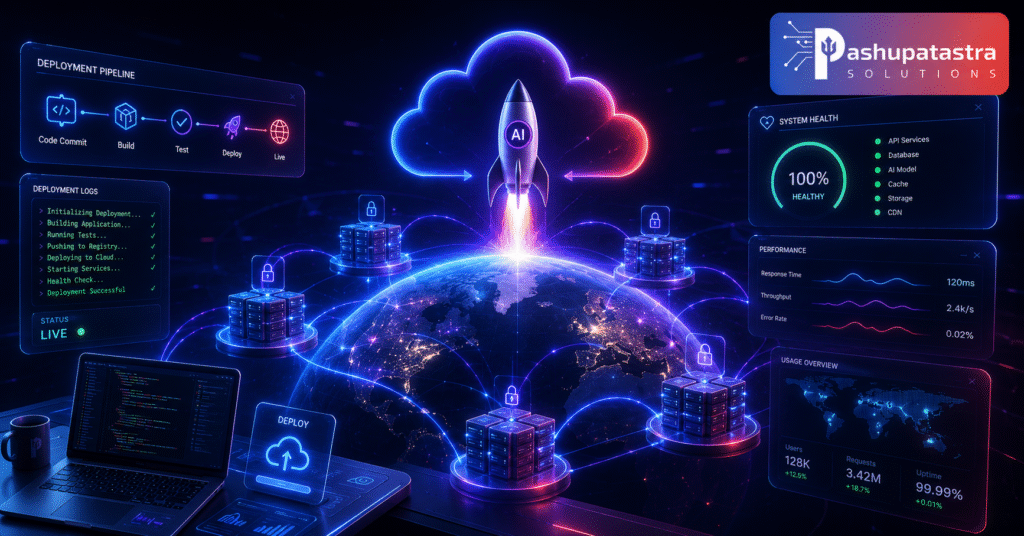
Once the prototype is validated with users, prepare for a limited deployment:
- Deployment: Containerize or host your model as a service. Use a cloud endpoint or serverless function for scaling tests. If using a third-party API (e.g. OpenAI), integrate with safeguards (timeouts, rate limiting). Ensure data pipelines (for new user data) are in place. Automate deployment with scripts or CI/CD so you can update quickly.
- Monitoring: Track model and system health in real time. Key metrics: uptime/availability, response latency, user engagement, and cost. Also monitor model drift: compare input data distributions and output quality over time. Open-source tools like EvidentlyAI or Prometheus/Grafana can flag data or prediction drift.
- Alerting: Set thresholds (e.g. accuracy drop, error spikes) that trigger alerts to the team. Even in an MVP, have someone responsible for monitoring. The AmasaTech guide notes that an AI MVP is only a product when you can explain its bad days as well as its good ones.
- Fallbacks & Rollbacks: Have a plan if the model breaks: for example, revert to a default behavior, pause the feature, or use a simpler heuristic. Monitor costs closely, especially for APIs, so you don’t overspend unexpectedly.
- FinOps: Early financial ops (FinOps) can control scaling costs. Estimate usage growth and set budgets. If usage surges, make sure you can throttle or optimize.
Continually log new user data and feedback. This live data will feed the next iteration or full-scale build.
10. Cost and Timeline Estimates
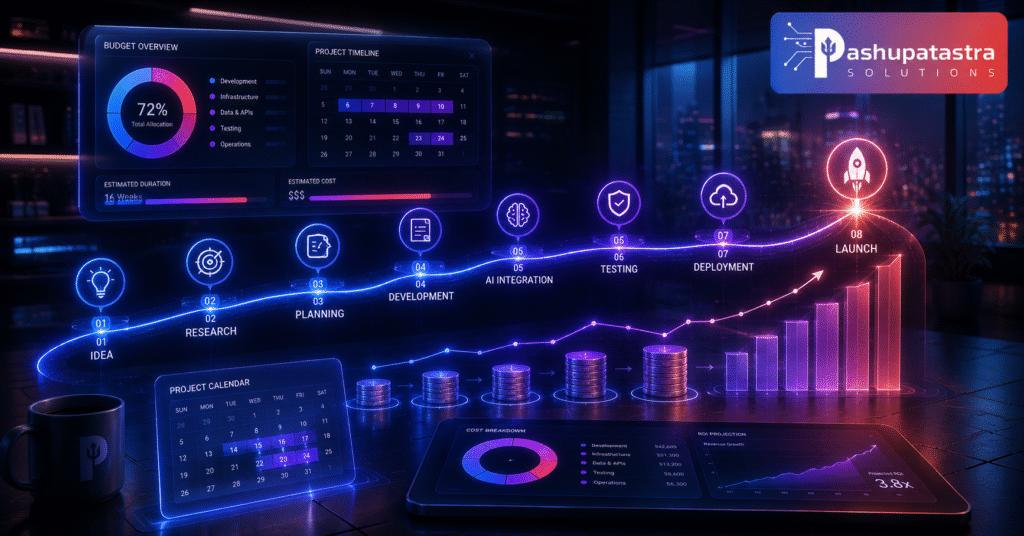
Timeline: A narrow AI MVP can often be built in 1–3 months if scoped tightly. For example, AmasaTech cites industry estimates: 4–6 weeks for a simple assistant/chatbot, 8–12 weeks for an intermediate predictive system. Fourmeta suggests 8–14 weeks is typical for a well-scoped MVP. Use our sample timeline below as a guide:
| Phase | Duration (weeks) | Key Milestone |
| 1. Definition & Planning | 1–2 | Problem/hypothesis defined; success metrics agreed |
| 2. Data Collection | 1–2 | Initial dataset gathered & labeled |
| 3. Prototype Development | 2–4 | First working model & UI integrated |
| 4. Testing & Feedback | 1–2 | MVP tested by users; feedback collected |
| 5. Iteration | 2–3 | Model/refinements based on results |
| 6. Deployment & Monitoring | 1 | MVP live; monitoring dashboard set up |
Mermaid Gantt Chart: Sample AI MVP development timeline (adjust based on project).
Cost Factors: Exact costs vary widely by scope. Major drivers are:
- Data preparation: Annotation or acquisition costs.
- Compute: GPU/cloud for training or inference (especially if using large models).
- API usage: Pay-per-call charges (OpenAI, AWS, etc.).
- Engineering time: Developer & ML engineer hours.
- Compliance/security: If needed (especially in regulated industries).
As a rough guide, a simple AI MVP might cost anywhere from a few thousand to low five figures USD to build, while complex ones could be much higher. Budget generously for iteration, since refining based on user data is where most resources are spent.
11. Team Roles and Responsibilities

Even a lean MVP needs clear ownership. The “smallest effective team” typically includes:
- Product Owner/Manager: Owns vision, scope, success criteria. Keeps the team focused and user-centered.
- AI/ML Engineer: Handles model selection, training (if needed), inference logic, and data pipelines. Tests model performance.
- Full-Stack/DevOps Engineer: Builds the integration: sets up the backend, connects the model, and creates the user interface. Manages deployment and infrastructure (servers, containers, databases).
- (Optional) Data Engineer: If data is fragmented or large-scale, responsible for ETL (extract, transform, load) and ensuring quality and access.
- (Optional) Domain Expert: In specialized fields (healthcare, finance, legal), someone to review outputs for correctness and compliance.
“The leanest effective AI MVP team isn’t the smallest team, but the smallest one that can make decisions without stalling.”
Checklist: Team Setup
| Role | Key Responsibility |
| Product Owner | Define scope, make trade-off decisions, champion MVP internally |
| AI/ML Engineer | Model logic, prompts, evaluation metrics |
| Full-Stack Developer | Integrate model with UI, setup endpoints |
| (Data Engineer) | Prepare data pipelines if needed |
| (Domain Expert) | Verify specialized outputs, handle ethics/regulations |
In early stages, team members may wear multiple hats. As the project grows, add roles (DevOps, QA, UX) only when necessary.
12. Common Pitfalls and How to Avoid Them

Building AI MVPs introduces unique risks. Be aware of these common traps:
- Chasing Perfect Data: Waiting for a “perfect” dataset delays learning. Instead, launch with a representative subset plus human review. Iteratively improve data as you learn what matters.
- Overcomplex Models: Don’t use a giant model just to impress. A simpler model or a rule-based system might work adequately for MVP and will train faster. Signs of overkill include: broad multi-step pipelines for a simple task, unexplainable failures, or latency issues. Use complexity only when the core use case demands it.
- Building a Demo, Not a Product: A demo hides assumptions (clean data, no bad inputs). From day one, build with “product mindset”: include logging, error handling, and a plan for “bad days”. For example, if your chatbot sometimes hallucinates, have a fallback response or human-in-the-loop to mitigate trust issues.
- Ignoring Legal/Ethical Constraints: Don’t leave compliance to the end. If your MVP handles personal data, medical info, or faces fairness concerns, bake in privacy protections and transparency early. This avoids costly rework when scaling.
- Scope Creep: The biggest killer is expanding scope once build starts. Use your product owner to say no to extra features or “one-more-model” requests. Remember, an MVP should not include everything else.
- Lack of Measurable Goals: Fuzzy success criteria lead to indecision. Always tie features to metrics. Without a clear evaluation plan, you’ll have no way to know if you made progress.
Remember: up to 80–85% of AI projects never reach production, usually not because the AI fails, but because data issues, silos, or lack of ROI preparation weren’t addressed. Plan for those from the outset.
13. Case Studies and Examples
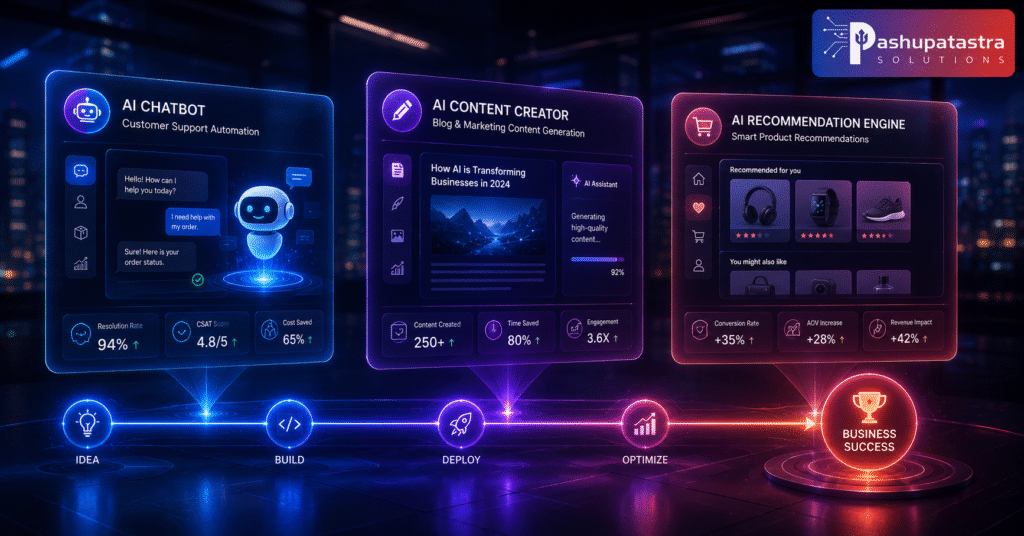
While proprietary, here are illustrative examples of AI MVPs:
- AI Voice Agent for Support: A startup builds an MVP voice-bot that answers common customer questions. The bot only handles the top 5 FAQs initially. Result: Support tickets drop by 30% and user satisfaction stays high. This validated the hypothesis before expanding to more complex queries.
- GPT-Powered Content Assistant: A marketing app added an MVP feature where users input bullet points and the AI drafts an article. Launched within 6 weeks using GPT-4 API and Streamlit UI. Early adopters loved the time savings; feedback helped tune tone and add style options.
- E-commerce Recommendation Engine: An online shop deploys a simple recommendation MVP: after purchase, users see “Customers who bought this also bought…” powered by a basic collaborative filtering model. Conversion on recommended items increases by 15%, proving personalization’s value.
Fourmeta’s Fourmula.ai: As a real-world example, Fourmeta delivered Fourmula.ai, an AI image generation platform, as an MVP by running brand, UX, and AI development in parallel. They promised “a market-ready product in 12 weeks”, illustrating that even complex AI products can launch quickly with the right process.
These cases underscore focusing on one feature, rapid iteration, and user feedback. Tailor the idea to your domain: the core principle is the same.
Step-by-Step AI MVP Checklist
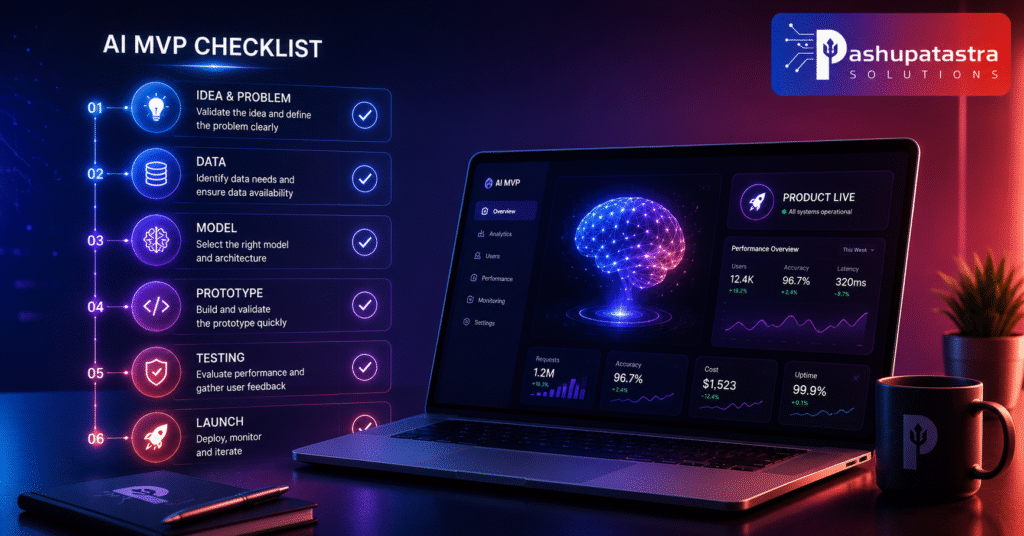
Use this checklist as a quick reference during your project:
| Step | Task | Notes |
| 1 | Define the user problem and business case | Craft clear problem/hypothesis and success metrics. |
| 2 | Outline core AI feature (scope) | Specify one AI capability and what it should achieve. |
| 3 | Create an AI MVP PRD (Product Doc) | See template snippet below for structure. |
| 4 | Plan data collection | Identify sources, labeling, privacy requirements. |
| 5 | Prepare initial dataset | Gather and preprocess sample data. |
| 6 | Select model and tech stack | Choose pre-trained model or design simple model. |
| 7 | Build prototype (model & API) | Integrate model backend with minimal interface. |
| 8 | Develop user interface | Create simple UI or API endpoint for testing. |
| 9 | Instrument logging and feedback | Set up logs, error tracking, and user feedback capture. |
| 10 | Test prototype internally | Verify functionality, fix obvious issues. |
| 11 | Conduct user testing with small group | Gather qualitative and quantitative feedback. |
| 12 | Evaluate metrics | Compare results to targets (see Evaluation Matrix). |
| 13 | Iterate on model and scope | Improve data/model or adjust scope based on findings. |
| 14 | Plan deployment and monitoring | Prepare infrastructure and alerting for launch. |
Each “Done” check can keep the team aligned. Adapt steps as needed.
Actionable Templates & Snippets
- AI MVP PRD (Product Requirements Document) Outline:
- Executive Summary: Problem statement, hypothesis, and goal.
- Market Opportunity: User personas and pain points.
- Core Feature: Description of the AI-powered feature.
- Data Requirements: Data sources and quality.
- Model/Tech Stack: Planned approach (model type, APIs).
- Success Metrics: Quantitative KPIs (accuracy, usage targets).
- Milestones: Timeline and deliverables.
- Risks & Mitigation: Top technical or data risks and responses.
- Data Collection Plan Template:
- Objective: What question the data will answer.
- Sources: List internal and external data sources.
- Collection Method: How data will be gathered or labeled.
- Volume Needed: Minimum samples for validation.
- Storage & Access: Where data will reside (databases, S3).
- Privacy/Compliance: Steps for anonymization or consent.
- Quality Checks: Criteria for data validity.
- Timeline: Schedule for data acquisition.
- Use and adapt this table after each test phase to capture quantitative results and next steps.
- Deployment Checklist: Containerize model (e.g. Docker), configure CI/CD pipeline, set up endpoint with autoscaling, apply security settings (HTTPS, keys), create monitoring dashboards.
- Risk Log: Maintain a simple list of identified risks (e.g. “model hallucinations,” “data privacy issues”) with likelihood and mitigation plans. Update it weekly.
- MVP Learning Log: A living document of key learnings from each test (e.g. “Users want simpler UI”, “Class X mislabeled 20% of the time”). Helps guide iteration and is valuable for full-product planning.
These templates are starting points. Tailor each to your project’s specifics.
Frequently Asked Questions (FAQ)
Q: What exactly is an AI MVP?
A: An AI MVP is a minimum viable product that incorporates an AI component to test a key hypothesis. It’s the most basic version of your product where the AI feature (e.g. recommendation, chatbot, prediction) is working end-to-end with real users. Unlike a demo, it must function in a realistic environment.
Q: How fast can I build an AI MVP?
A: It depends on scope, but with strict focus many teams do it in 4–12 weeks. Small projects (like a chatbot prototype) might take about a month. More complex ones (e.g. custom vision model) could take several months. The key is narrow scope and using pre-built models or no-code tools for speed.
Q: What data do I need for an AI MVP?
A: Enough high-quality data to validate your core AI feature. Start with a sample set of labeled data for testing your model. You don’t need millions of records – even a few thousand examples can be enough to evaluate feasibility. Focus on data that directly addresses your problem. If data is scarce, use synthetic data generation or human feedback in the loop.
Q: Which model or framework should I use?
A: Begin with pre-trained models or APIs to save time. For text tasks, consider GPT or BERT-family models; for images, try a pretrained CNN. Choose based on your task (classification vs generation) and constraints (latency, cost). For MVPs, a lightweight or hosted model often makes sense.
Q: How much does an AI MVP cost?
A: Costs vary widely. Budget categories include developer time, cloud compute, data labeling, and API usage. A simple MVP might run thousands to tens of thousands of USD. Key cost drivers are data prep and compute for inference. Importantly, an MVP should save costs by avoiding full product build-out. Use our resource planning table to estimate based on your scope.
Q: What are common mistakes when building AI MVPs?
A: Typical pitfalls are: over-scoping the AI features, underestimating data gaps, and skipping real user testing. Many teams build too much or too perfect (expensive) an MVP, or focus only on model accuracy without seeing if users actually want the feature. Our advice: keep it minimal, validate continuously, and avoid pursuing perfection on the first try.
Q: How do we know when the MVP is ready to scale into a full product?
A: When your MVP meets or exceeds its success metrics (e.g. user engagement or accuracy targets) consistently in real use, and you have qualitative feedback confirming value. You should also have addressed basic production concerns: data pipelines are stable, performance is acceptable, and costs are understood. If the MVP proves its core hypothesis, then plan to invest in scaling (refining architecture, hiring more roles, etc.).