Traditional Websites Are Dead: Why AI Web Development Is Becoming the New Standard in 2026
Executive Summary: Artificial intelligence (AI) is radically transforming how business websites are built and experienced. AI-driven sites deliver hyper-personalisation, dynamic content updates and predictive user journeys that far outpace static “traditional” websites. This article explains how AI enhances personalisation, automation, predictive analytics, conversational interfaces and intelligent user journeys on modern sites, and why these changes are measurable in higher engagement, conversion and revenue. We draw on the latest industry reports and case studies (2024–26) to quantify AI’s impact: for example, 40% more revenue for high-growth companies using personalisation, or 11× increases in purchase rates (Yves Rocher) by deploying real-time recommendation engines. We contrast AI-driven and traditional websites across UX, conversion, maintenance, cost, SEO and privacy in a comparison table. A mermaid diagram illustrates a typical AI-enhanced user journey on a site, and we propose an implementation roadmap (phases, tools, timelines, team roles, budgets). We recommend practical tools (both open-source and commercial) for AI website projects. Finally, we address ethical/privacy concerns (GDPR/CCPA compliance) and mitigation steps. By 2026, AI is no longer optional – it’s the new standard for competitive business websites.
The AI Revolution in Web Experience
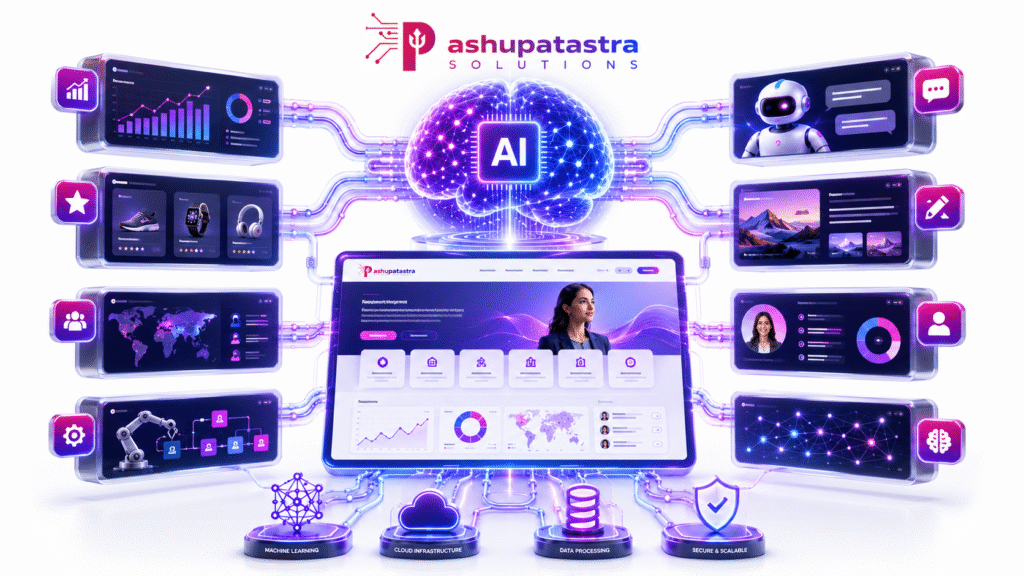
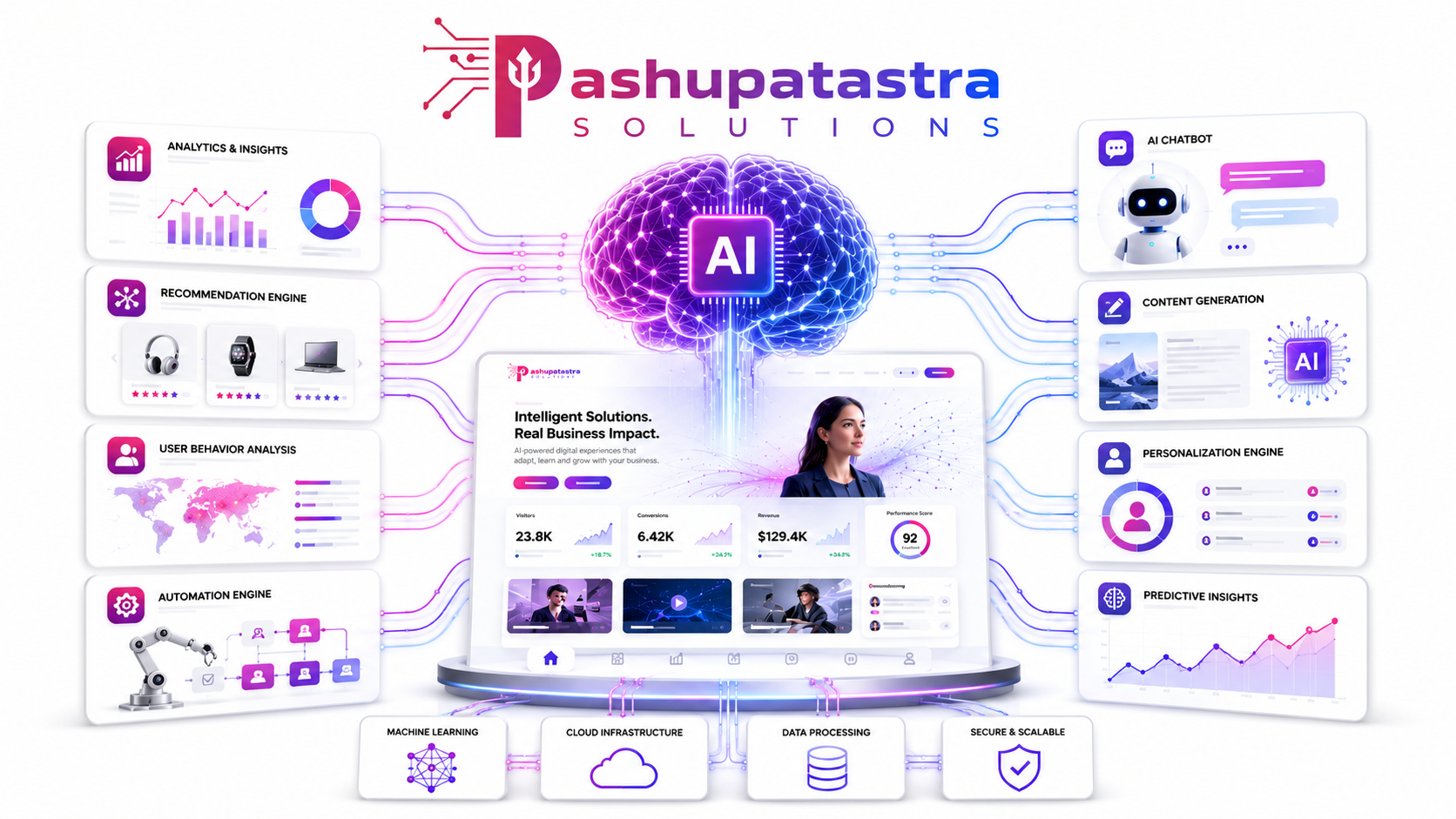
The business website is evolving. Where once sites were simple digital brochures, today AI allows them to act as intelligent, adaptive engines. AI algorithms continuously analyse user data and interactions to tailor content on the fly. This hyper-personalisation means each visitor sees a version of the site that feels crafted just for them. In practice, AI achieves this by merging machine learning (ML), large-scale analytics and generative models into the web stack. For example, AI-driven recommendation engines (like those behind Netflix or Amazon) tailor product listings to each shopper in real time, dramatically improving engagement. Indeed, AI personalisation programs have been shown to boost revenue and conversions: a McKinsey survey found fast-growing companies earned 40% more revenue from personalisation than slower peers.
AI also enables real-time automation. Tasks that required manual effort – such as content updates, A/B testing and even coding – can now be automated or semi-automated. Generative AI can draft landing-page copy or design layouts based on simple prompts. Predictive analytics models forecast which products a user will want next (based on past behaviour and context), enabling the site to proactively surface relevant content. Conversational AI (chatbots and voice interfaces) provide 24/7 customer service and guide visitors as if a human were there, while learning from each interaction. All these features work together to create an “intelligent user journey”: instead of a fixed click-path, users move through a dynamic flow that adapts at each step.
The result is simple: AI-driven websites significantly outperform traditional ones. Companies adopting AI on their websites are seeing double-digit lift in engagement and conversion rates. For example, global cosmetics retailer Yves Rocher reported an 11× increase in purchase rates when deploying AI-powered recommendations. South African retailer TFG (The Foschini Group) saw 35.2% higher online conversion rates and a 39.8% lift in revenue-per-visit by adding a conversational shopping agent. Such case studies underscore why “Traditional Websites Are Dead” in the sense that staying static is no longer competitive.
Below we examine the key AI innovations transforming websites, and how they compare to legacy approaches.
Personalisation: Turning Data into Delight
Personalisation has been a buzzword for years, but AI takes it to a new level of sophistication. Traditional websites might personalise content based on simple rules (“show category X to user Y”), but AI can analyse huge data sets – browsing history, past purchases, demographics, time of day, device, even weather – and generate on-the-fly content for each visitor. For instance, an AI model might predict which products a returning visitor is likely to buy next, and feature those on the homepage. Or it might change a site’s hero banner in real time based on the visitor’s profile or past clicks.
According to industry research, 89% of marketing leaders consider personalisation essential for future success. But only 60% of customers feel they actually get personalised experiences, so there’s a clear gap and opportunity. AI-driven sites narrow this gap by continuously learning. Over 92% of businesses surveyed are already leveraging AI-driven personalisation to fuel growth, and 73% of business leaders agree AI will reshape their personalisation strategies.
The benefits are striking: McKinsey found companies excelling at personalisation see faster revenue growth. Contentful reports that 80% of businesses observed higher consumer spending (on average +38%) when experiences were tailored. Personalised calls-to-action (CTAs) can yield 202% more conversions than generic ones. And a Bloomreach-commissioned study showed Yves Rocher’s AI recommendations drove an 11-fold jump in purchase rates.
Mermaid Diagram: AI-Enabled User Journey Flowchart
Clicks Product
Uses Chatbot
Purchase
Leaves
User arrives on site
Collect Data: Behavior, Profile
AI Personalization Engine
Serve Personalized Homepage/Content
User Action
Apply Recommendation Engine
Conversational Assistant
User Decision
Conversion
Exit No Conversion
Show code
Example user journey on an AI-driven website: the system collects data, uses AI models to personalise content (D) and chatbot interactions (G), leading to higher chances of Conversion (I) compared to exit (J).
Automation & Efficiency
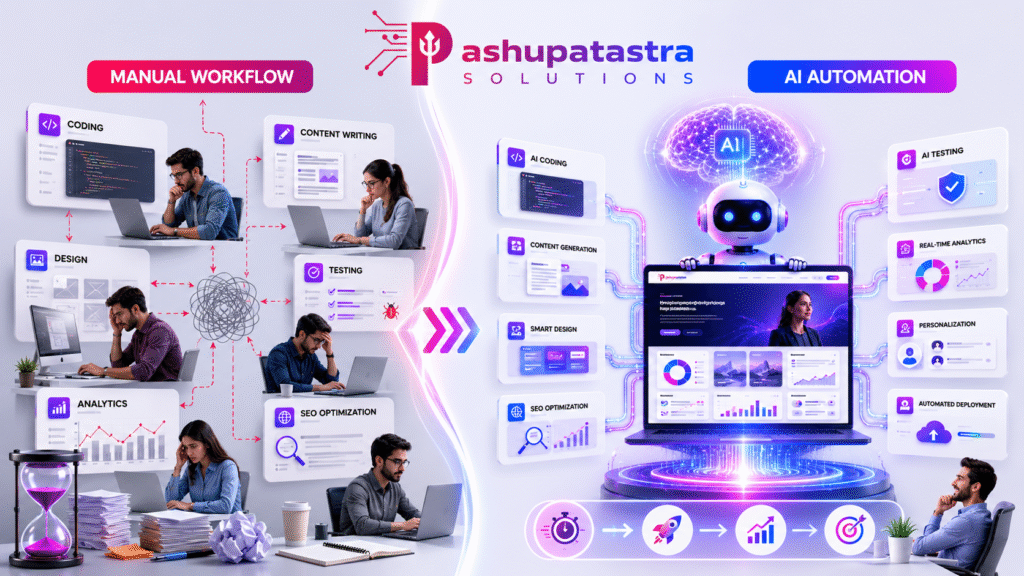
AI automates many tasks in web development and website operation. On a traditional site, developers or content teams manually write code and content, then periodically update it. AI changes this model. Code generation: Modern developer tools like GitHub Copilot or GPT-4 Code Interpreter can write boilerplate code, suggest fixes, and speed up development. Content creation: Generative AI (e.g. GPT-4, Claude, Bard) can draft blog posts, product descriptions or metadata from simple prompts, saving marketing teams hours. Site management: AI can automate routine maintenance – such as monitoring uptime with intelligent agents, auto-scaling resources, or automatically testing for broken links and SEO issues.
For example, the market research firm Custom Market Insights notes that “AI-based website builders allow the development of functional… websites in minutes at USD 10–50 monthly” versus traditional custom development costing thousands. In fact, Wix reports that sites built with its AI generator saw 40% more user engagement in year one than manually built sites, due to automatically optimized layouts and content.
AI also streamlines the customer-facing side. Automated A/B testing with AI agents can continuously trial new headlines, designs or product arrangements and feed the results back into the system. Conversational AIs (discussed below) handle routine customer queries 24/7, saving support cost. In summary, AI reduces manual effort across the board: development, content, operations and even marketing. This hyper-automation yields cost savings (fewer labour hours) and speed (faster time-to-market) for sites.
Predictive Analytics: Anticipating Needs
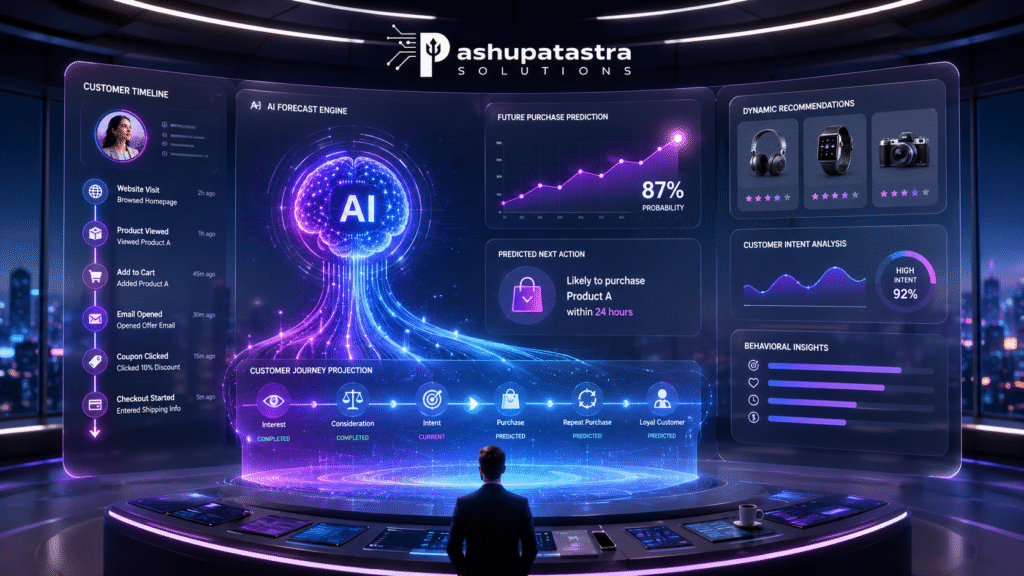
Beyond personalisation, AI powers predictive analytics for websites. Traditional analytics might tell you what visitors did (e.g. page views, purchases). AI can go further by forecasting what they will do next. By analysing historical data and real-time behaviour, predictive models can anticipate user needs. For instance, a site can predict which products a user is likely to buy or which service they might need, then proactively surface those options. The Starbucks app famously used ML to predict which drink a customer would want, based on time of day and weather. The site can even adjust pricing in real time (dynamic pricing) to maximise conversions.
This predictive power improves the user journey. A visitor who is predicted to be a window-shopper might see more inspirational content, whereas someone ready to buy might immediately get a discount or relevant CTA. Predictive personalization “uses AI to anticipate user needs…before they explicitly express them”. Early adopters report measurable gains: brands using predictive models to cross-sell or upsell see increased basket sizes and retention. McKinsey notes that effective use of analytics (including predictive) drives faster revenue growth through better customer intimacy.
In practical terms, predictive analytics on websites uses tools from data science – e.g. Python libraries (scikit-learn), TensorFlow/PyTorch models, or cloud AI services (Azure ML, BigQuery ML) – all feeding into the site’s CMS or recommendation engine. The result is a proactive, rather than reactive, web experience: your site is always one step ahead of the visitor’s intent.
Conversational Interfaces: 24/7 Agents
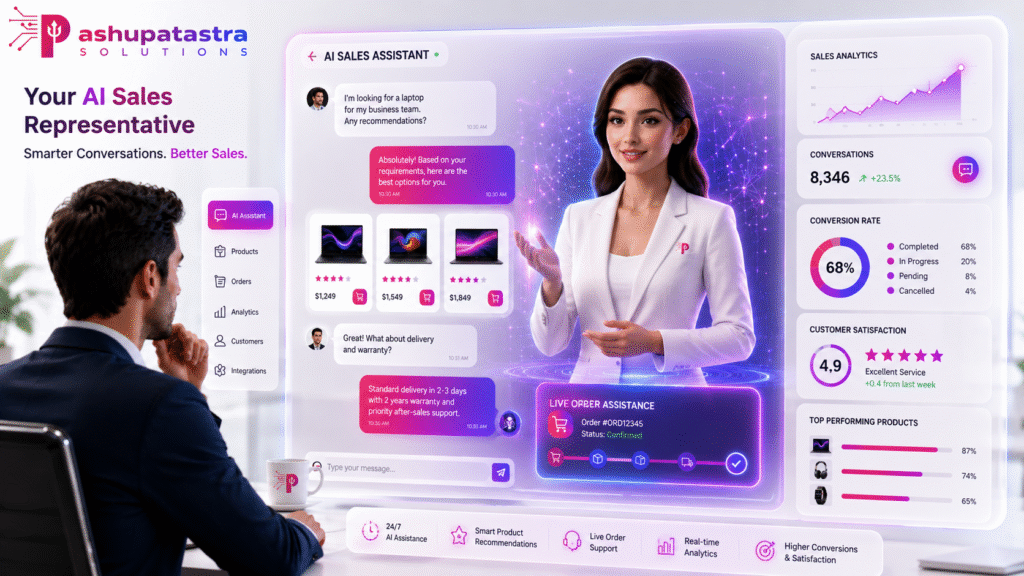
Another AI-driven breakthrough is conversational interfaces: chatbots and virtual assistants embedded on websites. Unlike FAQ pages or simple rule-based chat widgets, AI chatbots use natural language processing (NLP) to understand user queries and respond intelligently. They can do everything from answer product questions to complete purchases. Being “available at all hours of the day,” these bots handle high query volumes and escalate only complex issues to human agents.
AI chatbots bring several benefits: they improve user satisfaction by providing instant help (68% of customers appreciate faster responses), and they generate sales via guided selling. For example, Bloomreach’s case study of TFG’s fashion site shows how a “conversational shopping agent” built with AI drove an extra 35.2% conversion rate during Black Friday. Each chat interaction also collects data on user intent, further refining the AI models behind personalisation and analytics.
Leading platforms include open-source options like Rasa and Botpress, and cloud services like Google Dialogflow or Azure Bot Service. These can be tied into backend systems (CRMs, inventory, order systems) so the bot can, for instance, recommend specific products, check order status or schedule service appointments. Integrated voice assistants (e.g. Alexa/Google Assistant skills) can also be added to websites, though text chat remains most common. Overall, conversational AI makes the website interactive: visitors feel they’re conversing with a smart helper rather than navigating static pages.
Intelligent User Journeys
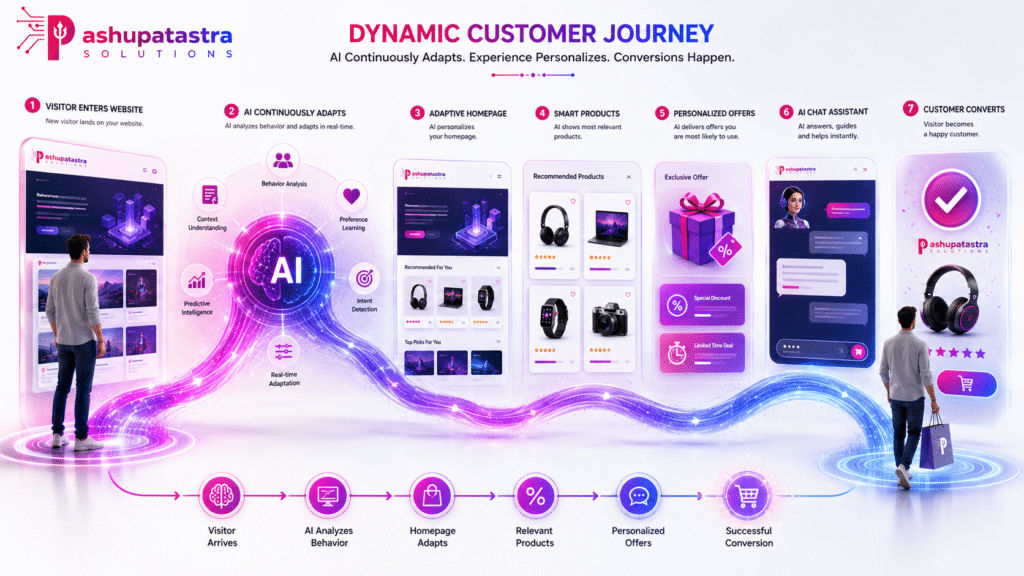
The combined effect of personalisation, automation, prediction and conversation is an intelligent user journey. Traditional sites have fixed funnels: Home → Category → Product → Checkout. AI-driven sites can branch and adapt dynamically. For instance, if a visitor lingers on a product page, an AI might trigger a pop-up with a related recommendation. If a returning visitor logs in, the homepage can update with their previously viewed items or loyalty offers. If the system predicts they are price-sensitive, it might show discounts first. These journeys are continuously optimised via machine learning: what worked for one cohort can be applied to similar profiles.
A good example is omnichannel personalisation: combining web behaviour with email, mobile app and even in-store data. IBM highlights how omnichannel AI can ensure the same customer data informs every touchpoint (for example, Sephora’s app syncs with in-store preferences). On a website, this means the content a user sees is consistent with what they did on other channels (Email campaigns, ads, store visits, etc.), creating a seamless experience. This “channel-less” AI strategy keeps the journey coherent and intuitive.
The net effect: higher engagement and lower bounce rates. Users stay longer because the site continually offers them relevant next steps. Bloomreach reports that 77% of customers feel irritated by irrelevant messages, so AI’s ability to avoid that “noise” is a clear UX win. Well-implemented AI journeys also increase retention: 60% of shoppers say they’ll buy again after personalised experiences. In short, AI websites treat each visitor as an individual, guiding them intelligently toward value (for both the user and the business).
Traditional vs. AI-Driven Websites
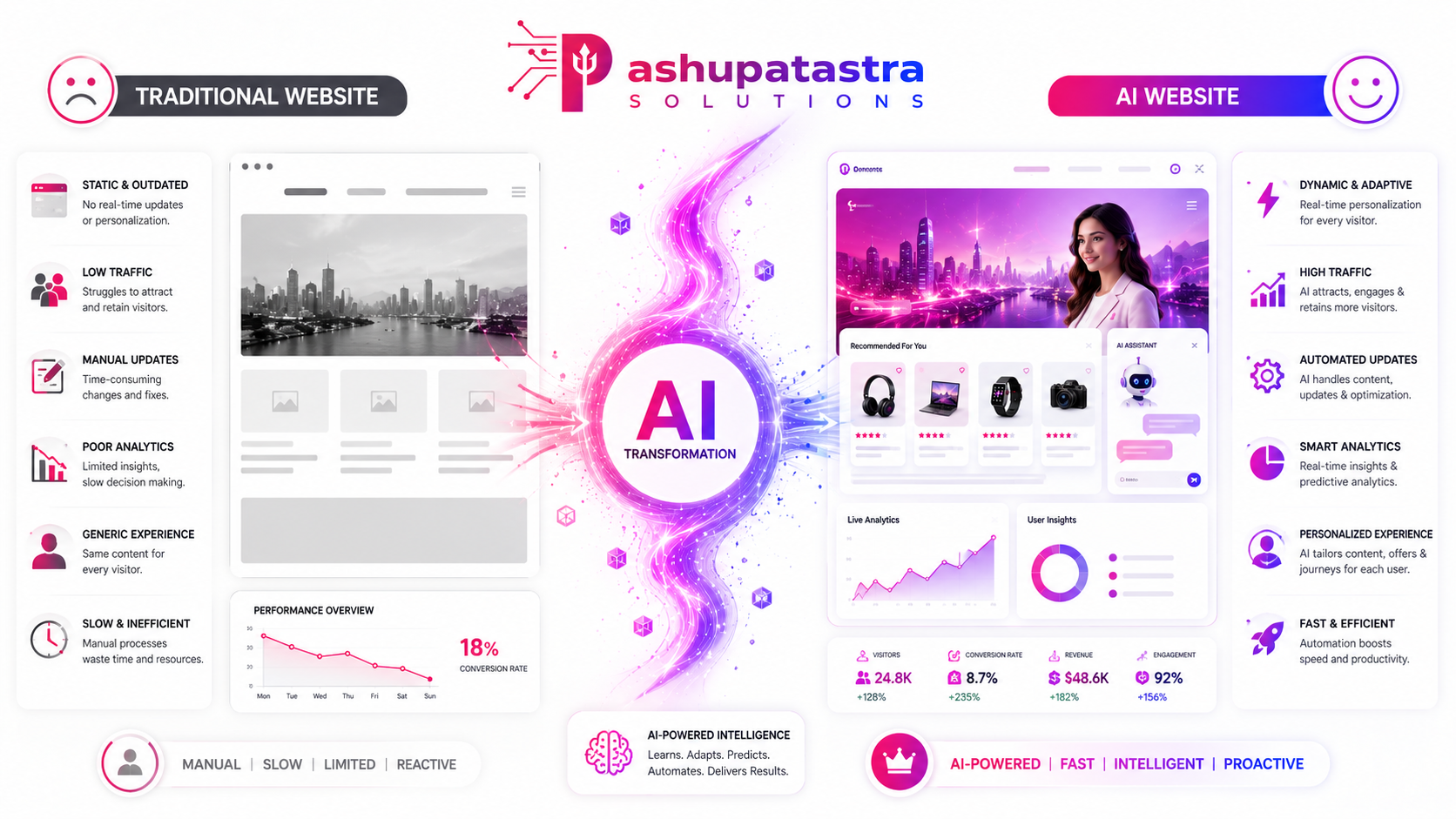
The differences between a legacy website and a modern AI-driven site cut across many dimensions. The table below summarises how key attributes differ when AI is fully leveraged:
| Dimension | Traditional Website | AI-Driven Website |
| User Experience (UX) | Static pages; one-size-fits-all design; minimal personalization (maybe user login) | Dynamic, adaptive UI; real-time personalization of layout and content based on user data |
| Conversion Rates | Standard CTAs; general user flows; limited A/B testing | AI-optimized CTAs and flows; predictive recommendations and conversational shopping; e.g. +35% conv. in case study |
| Content Updates | Manual updates by developers/marketing; infrequent changes | Automated content generation (e.g. AI writing, image creation) and continuous optimization |
| Maintenance Effort | Ongoing dev work for new features and bug fixes; slow to adapt | Continuous learning pipeline; automatic monitoring/alerting; less manual maintenance on routine tasks (but need ML maintenance) |
| Development Cost | High upfront cost (design, coding) plus ongoing dev fees | Potentially lower build cost with AI tools (templates, codegen); ongoing costs for AI APIs/compute |
| Scalability | Scales with infrastructure; new versions manually deployed | Cloud-based scaling; AI components can auto-scale; more complex architecture but modular (microservices with AI) |
| SEO & Marketing | SEO via keywords, meta tags; manual analytics | AI-driven SEO tools (auto-keyword research, content generation); real-time analytics; integration with ads and SEO updates |
| Privacy & Compliance | Basic data collection (forms, cookies); compliance easier | Heavy data usage for personalization; must ensure GDPR/CCPA compliance (see section below) |
| Cost Structure | Large initial dev/ design cost; monthly hosting & maintenance | Smaller initial (due to no-code/AI builders), subscription or API costs for AI services, ongoing data costs |
| Time-to-Market | Weeks or months for a new site | Hours or days with AI site-builder tools or templates; plus instant iterative updates |
| Analytics & Insights | Basic traffic stats (visitors, bounce rate) | Continuous AI analytics: churn prediction, CLV, next-best-action recommendations |
Comparison of Traditional vs AI-Driven websites. AI sites deliver far richer UX and conversion, with greater automation, albeit with higher data/privacy considerations.
The measurable differences are stark. For example, personalised landing pages (common on AI sites) often double conversion rates compared to generic ones. A/B testing on traditional sites requires manual campaigns; AI sites can test and roll out optimisations continuously. On maintenance, a static site might only be updated quarterly, whereas an AI site might update content daily in response to trends. Cost-wise, while complex AI requires investment in computing and talent, many turnkey AI site builders have emerged: Custom Market Insights reports an exploding market for AI website builders, projecting a CAGR of 17.7% to reach $14.78 billion by 2035, driven by “democratisation” of AI web design. This means businesses of all sizes are now able to spin up sophisticated sites at low cost.
Finally, note SEO: AI can enhance SEO by generating keyword-optimised content and analysing SERP data, but misuse (low-quality autogenerated content) can also hurt rankings. Ethical use (like using AI for ideation and fact-checking) is key to ensure search engines reward, not penalise, your site.
Implementation Roadmap: From Plan to Launch
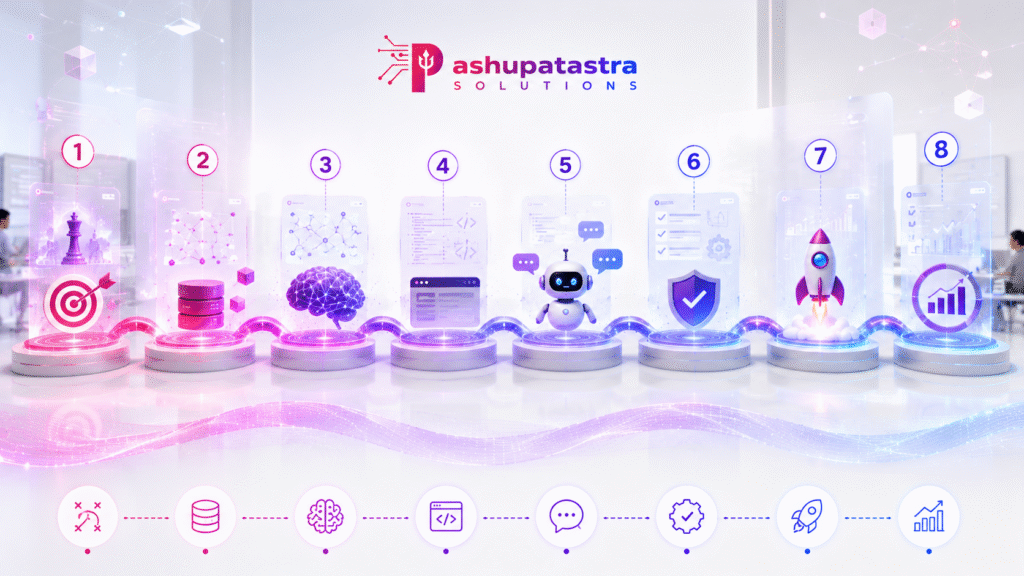
Moving to an AI-driven website is a multi-step process. Below is a roadmap table outlining typical phases, activities, tools and roles, with indicative timelines. Budgets vary widely by scope (for an SME, a basic AI-enhanced site may cost in the low five figures; enterprise platforms run into six or seven figures). We note ballparks when possible, but actual cost depends on factors like traffic, data complexity and chosen technologies.
| Phase | Key Activities | Tools/Tech | Timeline | Team Roles | Estimated Budget |
| 1. Strategy & Planning | Define business goals; identify personalization opportunities; data audit; compliance check | Workshops, analytics review, GDPR/CCPA guidelines | 2–4 weeks | Project Manager, CMO/Marketing Lead, Data Analyst | $0–$10k (workshop fees) |
| 2. Data & Infrastructure | Collect/clean first-party data; set up databases/CDP; implement tracking (tags, cookies) | CDP/CRM (e.g. Segment, HubSpot), Analytics (GA4, Matomo) | 1–3 months | Data Engineer, Data Analyst, IT Support | $5k–$50k (data platform licenses) |
| 3. AI Model Development | Develop/train AI models for personalization (e.g. recommendation, prediction, NLP chatbot) | Python (TensorFlow/PyTorch), ML frameworks, NLP libraries | 2–4 months | Data Scientist, ML Engineer, Data Engineer | $20k–$100k (compute, tools) |
| 4. Design & Dev | Build website (front-end, back-end); integrate AI features; design personalized UI/UX flows | Web framework (e.g. React, Next.js, Astro); CMS (Headless CMS, e.g. Strapi/Contentful); APIs | 2–6 months | Front-end Dev, Back-end Dev, UX Designer, AI Engineer | $10k–$200k (depending on scope) |
| 5. Conversational Setup | Implement chatbot/assistant; integrate knowledge base & FAQs; test dialogue flows | Chatbot platform (Rasa, Dialogflow); GPT-4 API or similar; CRM integration | 1–2 months | AI Engineer, Content Writer, Support Lead | $5k–$30k (platform fees) |
| 6. Testing & QA | A/B test AI vs control, performance testing, security audits, privacy compliance checks | A/B testing tools (Google Optimize), load testing (JMeter), security scanners | 2–4 weeks | QA Engineer, Compliance Officer, DevOps | $2k–$10k |
| 7. Launch & Monitor | Deploy site; monitor KPIs (traffic, conversion, engagement); refine AI models; feedback loops | Monitoring (New Relic, Google Analytics), dashboard (Tableau, Looker) | Ongoing | DevOps, Data Analyst, Marketing Team | $1k/mo (monitoring) + ops costs |
| 8. Continuous Improvement | Iterate based on data; expand personalization features; audit biases; ensure ongoing compliance | AI retraining (periodic), UX research, privacy audits | Ongoing | Entire cross-functional team | Variable (continuous ops) |
High-level implementation roadmap: phases, key activities, tools and roles for deploying an AI-enhanced website. Budgets vary by complexity (SME vs enterprise).
This roadmap is indicative. In practice, many steps overlap (for example, content can be created in parallel with data setup). Crucially, AI websites require cross-functional teams: marketing for strategy, data engineers for pipelines, data scientists for models, developers for integration, and legal/compliance for privacy. Vendors can supply end-to-end services (e.g. Adobe, IBM, Amazon) but be wary of lock-in. We recommend a mix of open-source and best-of-breed tools (listed below) to maintain flexibility and cost control.
Tools and Technologies

Building an AI-driven site calls for a blend of AI frameworks, content platforms and integration tools. Below are some practical recommendations, with both open-source and commercial options, avoiding bias toward any single vendor:
- AI Frameworks (Open-Source): TensorFlow, PyTorch, scikit-learn for custom machine learning models; Hugging Face Transformers for NLP and generative models. These allow full control if you have data science talent.
- AI Services (Commercial): OpenAI GPT-4/GPT-4o (code & content generation), Anthropic Claude, Google Vertex AI or Azure OpenAI for managed AI APIs. Use these for rapid prototyping or when you lack in-house ML expertise.
- Content Management: Strapi, Ghost (OSS) or Contentful, WordPress (with AI plugins) as headless CMS to manage dynamic content. These can integrate with AI modules to push personalized content to pages.
- Recommendation/Personalization Engines: An open-source choice is Apache PredictionIO (though older), or Microsoft Azure Personalizer. Commercial solutions include Optimizely, Dynamic Yield or Bloomreach (as used by our case studies).
- Chatbots/Conversational AI: Rasa (OSS) or Botpress for on-premise control; Google Dialogflow, IBM Watson Assistant or Azure Bot Service for cloud bots. Integrate with OpenAI or Anthropic for advanced NLU.
- Analytics & A/B Testing: Google Analytics 4, Matomo (self-hosted) for web analytics. For experiments: Google Optimize or Apache Superset for data dashboards. Use AI-driven analytics platforms (Databricks, Tableau with Einstein Analytics) for predictive insights.
- Development Tools: IDEs with AI (GitHub Copilot, Amazon CodeWhisperer) to speed coding. Use VS Code or JetBrains IDEs with plugins for quality assistance.
- Cloud/Infra: AWS, Azure or GCP to host scalable infra. Use Kubernetes or serverless for dynamic scaling of AI microservices. Ensure robust security (IAM, encryption) given sensitive data use.
- SEO & Content Optimization: Tools like Frase, SurferSEO (AI for keyword/content planning). While helpful, always editorially review AI content for accuracy to comply with search engine guidelines.
These tools form the tech stack for an AI website. The exact mix depends on your needs (for example, a small blog site might use a SaaS AI builder like Wix AI, whereas a large e-commerce enterprise might build custom ML pipelines). Always pilot with open-source before committing to big contracts.
Ethical, Privacy and Compliance Considerations

AI websites raise important privacy and ethics issues. Personalisation and AI rely on collecting user data (browsing history, preferences, maybe PII). Regulations like GDPR (EU) and CCPA (California) impose strict rules on data use. Key considerations include:
- Consent & Transparency: Explicitly inform users how AI uses their data. Provide opt-in controls for personalisation. Use clear privacy notices stating cookies, profiling, AI-driven ads, etc.
- Data Minimisation: Only collect data necessary for personalization. Avoid unnecessary PII in models. Anonymise or pseudonymise user data where possible.
- Bias & Fairness: AI models can inadvertently discriminate if trained on biased data. Regularly audit recommendation algorithms for unintended bias (e.g. recommending high-priced products only to certain demographics). IBM advises transparent communications about data use and diversifying training data to avoid discriminatory outcomes.
- Security: Store user data securely (encrypted databases, secure APIs). Implement regular security audits and compliance checks. Data breaches in AI systems (which accumulate data streams) can be more severe.
- Compliance Tools: Consider using Privacy Management software (OneTrust, TrustArc) to manage consent and data audits. For SEO and content, follow Google’s E-A-T and AI content guidelines to avoid penalties.
- Mitigation Steps: Provide clear opt-out for personalisation. Keep human oversight (allow users to flag wrong suggestions). Offer customer support options (chatbot fallback to human).
While personalization boosts user satisfaction, 53% of consumers worry about data privacy. Successful AI websites balance personalization with trust. For instance, allow users to see and control their data profiles. Encrypt sensitive fields (like health or financial info). By building privacy into the architecture, you prevent fines and maintain user trust – a strategic necessity, not a burdensome compliance cost.
Real-World Examples

- Yves Rocher: This cosmetics brand integrated Bloomreach’s AI platform to personalise recommendations. The system built anonymous profiles in real time, leading to an 11× increase in purchase rates on recommended products. Critical to their success was capturing in-session behavior and instantly updating suggestions, showing “magically personalized” experiences.
- The Foschini Group (TFG): By adding Bloomreach’s AI-driven conversational shopping agent to its e-commerce site, TFG’s subsidiary Bash saw a 35.2% uplift in conversion rate and 39.8% higher revenue per visit during peak shopping. This illustrates the power of “agentic AI” at scale: an AI agent proactively guided customers through the Black Friday rush.
- Wix (Self-Report): The website builder Wix implemented an AI Site Generator in 2023–24. They reported that sites built with their AI tools had 40% higher user engagement in the first year than manual builds. This suggests that even template-driven sites see noticeable lifts when content and layout are AI-optimised.
- Amazon: On its shopping site, Amazon’s recommendation engine (an AI-driven system) accounts for over 35% of sales. Though not a “case study” per se, it’s well-documented that Amazon’s personalised suggestions and predictive algorithms drive the vast majority of its conversion, showcasing AI’s ROI.
- Personalized News & Media: Platforms like BBC or CNN now use AI to curate news feeds for users. Personalized headlines increase click-through; studies show users spend more time on sites that adapt content to their interests (for example, personalized sports vs politics content).
These examples, combined with industry analyses, show that AI websites are no longer experimental – they’re central to digital strategy. Companies that ignore these tools risk falling behind competitors who can adapt in real time to customer needs.
Compliance and Ethical Safeguards
Implementing AI responsibly is as important as the technology itself. Key safeguards include:
- Consent Management: Use cookie banners and consent tools to get permission for tracking and profiling.
- Data Protection Impact Assessment (DPIA): If your AI collects personal data at scale, perform a DPIA (required by GDPR) to assess risks.
- AI Audit: Periodically review your AI models for bias (age, gender, race) and accuracy. Document how recommendations are generated.
- User Controls: Provide features for users to correct or opt-out of profiling (e.g. “Tell us your preferences” forms).
- Third-Party Data Use: Be cautious with external data sources. Under regulations, combining third-party data with personal data often requires explicit consent.
- Human Override: Always have a way for a user to contact a real person if AI-driven suggestions fail or cause frustration.
Major tech vendors (AWS, Google, Microsoft) offer compliance frameworks and toolkits that can help automate some of these steps. For example, Microsoft’s Responsible AI resources or Google’s Privacy AI toolkit. Ensure all customer data storage and processing have encryption and access controls. By baking privacy into your AI strategy, you not only comply with laws, but also build customer trust – which in turn encourages users to share more data and enables even better personalization.
Conclusion & Next Steps
Business websites are rapidly moving from static brochure-ware to living, learning experiences. AI technologies have crossed the chasm: they are no longer experimental but mainstream tools for competitive advantage. Companies harnessing AI for personalisation, automation and intelligent journeys are seeing real metrics improvements (higher conversion, retention, revenue). In fact, 86% of business leaders now view personalisation as essential to customer experience.
However, success requires a thoughtful approach: the right data, infrastructure, skills and ethical guardrails. We hope this report has mapped the landscape and given you actionable insights.
Ready to transform your website with AI? Book a Free AI Website Strategy Call with our experts. We’ll discuss your business needs, demonstrate AI-driven possibilities, and outline how to get started. Embrace the future now – traditional static sites won’t cut it in 2026.
Frequently Asked Questions
Q: What exactly is an AI-driven website?
An AI-driven website uses machine learning and data analysis to adapt its content, design, and functionality for each user. It’s not static; it evolves based on user behavior, preferences and predictive models. Typical features include real-time personalized content, chatbots, AI-generated recommendations, and automated A/B testing.
Q: Do AI websites replace web developers and designers?
Not entirely. AI tools accelerate many tasks (auto-generating code, content, layouts) but human expertise is still needed for strategy, oversight, and creative direction. Developers now work alongside AI assistants. Think of AI as a power tool for site builders, not a magic switch. It handles repetitive or data-driven tasks, letting teams focus on innovation.
Q: Are AI websites better for SEO?
They can be. AI can generate SEO-friendly content, analyse keywords, and optimise metadata automatically. However, poor use of AI (like auto-generating low-quality content) can backfire. The key is to use AI to enhance, not replace, good SEO practices. Always review AI content for accuracy and avoid duplicate/spam content. Search engines also favour fast-loading, mobile-friendly designs – areas where AI-driven optimisations (e.g. automatic image compression) help.
Q: What’s the ROI of switching to an AI website?
It varies, but case studies show clear gains in engagement and sales. We saw conversion lifts of 30–40% in Bloomreach examples. McKinsey reports companies strong in personalization grow significantly faster. ROI comes from increased revenue plus reduced costs (less manual maintenance, smarter marketing spend). Organisations should measure uplift in KPIs (conversion rate, avg. order value, customer retention) and compare to project costs.
Q: How do I start implementing AI on my site?
Begin with clear goals. Identify where AI can have the biggest impact (e.g. product recommendations, dynamic content, chat support). Assemble data (user behavior, sales history). You might pilot with a vendor’s personalization tool or open-source library. Key first steps: set up analytics tracking (to feed the AI), choose a CMS or builder that supports AI integration, and consider a phased rollout (e.g. start with personalized email, then scale to site content). Follow the roadmap above to plan the stages.