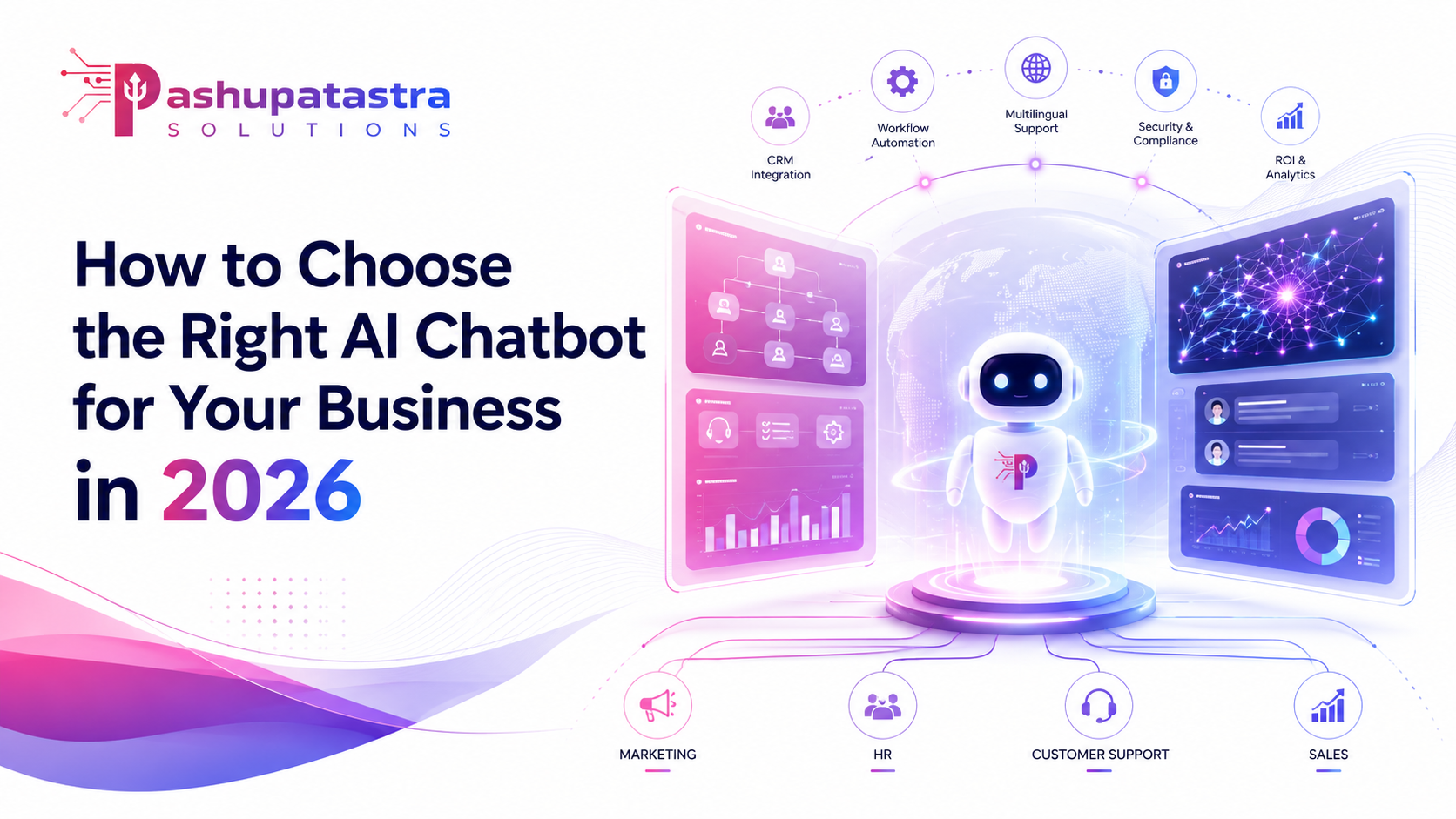
How to Choose the Right AI Chatbot for Your Business in 2026
Executive Summary: Choosing the right chatbot depends on your use case, volume, and budget. This report compares rule-based versus AI-powered chatbots (including large-language-model (LLM) assistants), covering their strengths and weaknesses. It reviews required integrations (CRM, helpdesk, e-commerce, analytics, voice), key security and compliance features (data residency, encryption, GDPR/CCPA compliance, audit logs), and multilingual support. We examine pricing models (subscription, per-seat, usage-based, enterprise licensing) and total cost of ownership (development plus maintenance). We outline maintenance and governance (training/retraining, prompt engineering, monitoring, fallback flows) and how to measure ROI (key metrics, sample calculations, case study summaries). This guide includes SEO-optimised elements (keywords, meta tags, headings), a comparison table of chatbot types (rule-based, hybrid, LLM-first), a decision framework (flowchart), a procurement checklist, and an FAQ. It is aimed at mid-market and enterprise product/marketing/ops managers looking for a mid-funnel (MOFU) chatbot solution in 2026.
Chatbot Architectures: Rule-Based, AI/NLP and LLM
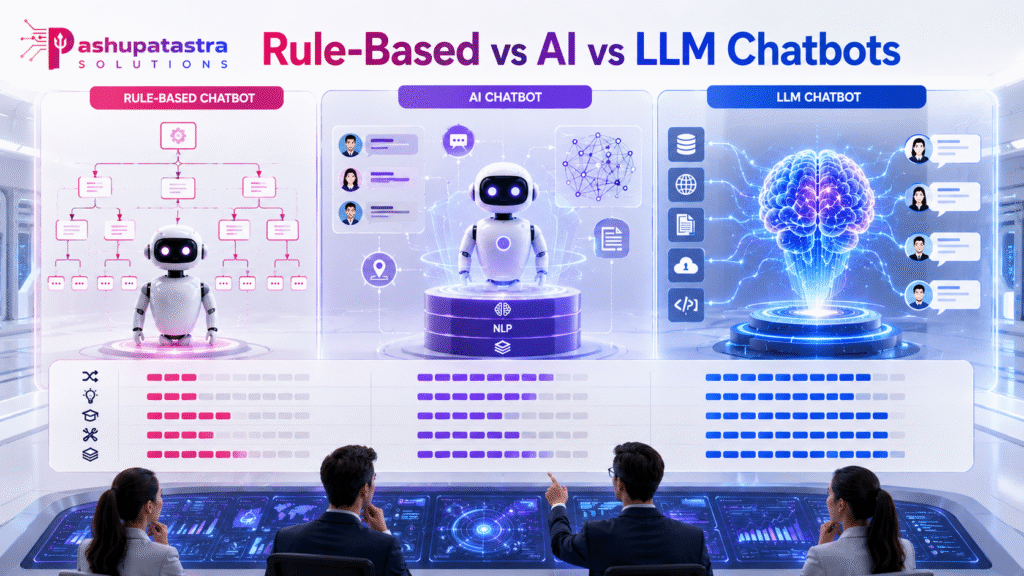
Chatbots range from simple rule-based scripts to sophisticated AI systems. Rule-based bots follow pre-defined decision trees: “if user says X, then reply Y.” They are easy to build and cheap, but brittle. Rule-based bots must have every question and answer pre-scripted. They cannot interpret phrasing they don’t recognize, so untrained or off-script queries fail. In contrast, AI-powered (NLP) chatbots use natural language understanding to parse user intent from varied inputs. These can learn from data and handle more variation.
A new generation of chatbots is LLM-powered or generative AI-based (e.g. ChatGPT, Google Bard). These use large language models to generate human-like responses on the fly, not just picking pre-written answers. In essence, they can “write” new answers in real time based on their training. IBM describes them as “Generative AI chatbots” – their output is new content generated by an LLM. This enables nuanced answers and richer conversations, but introduces challenges (cost, hallucination risk, need for guardrails).
Hybrid chatbots combine rule-based flows with AI/NLP. They might use scripted answers for common FAQs, but fall back to AI understanding for free-text questions. This approach gives some reliability of rule-based logic along with the flexibility of AI. In practice, many business chatbots today are hybrids (for example, a knowledge-base feed plus NLP intent matching).
Key takeaway: rule-based bots are predictable and cheap (good for simple FAQ or transactional flows), whereas AI/NLP and especially LLM chatbots can handle complex, open-ended queries. Hybrid designs try to offer the best of both worlds.
LLM-Powered Assistants and Conversational AI
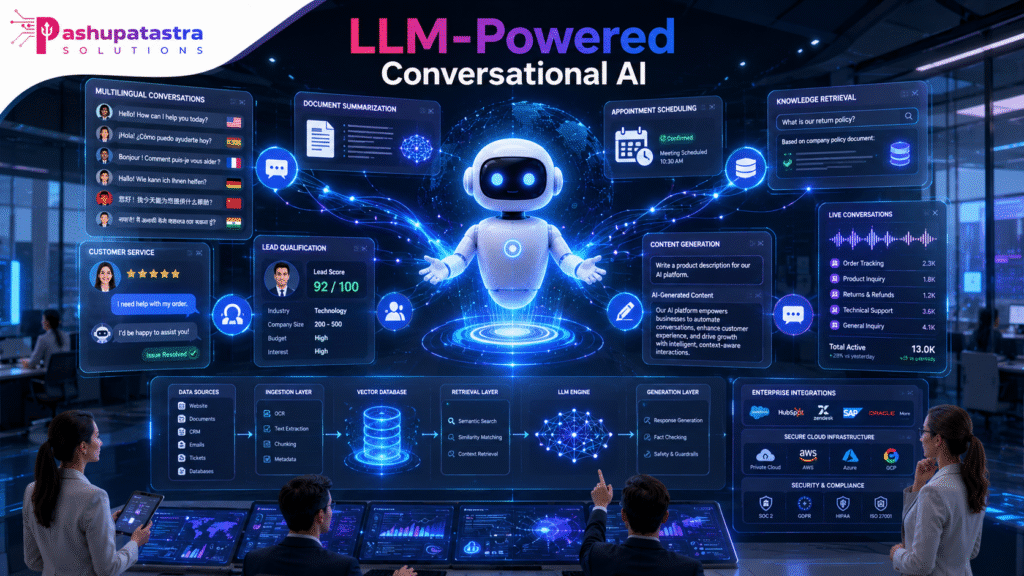
LLM-powered assistants (e.g. ChatGPT-4o, Google’s PaLM/Bard, Anthropic’s Claude) represent the cutting edge in chatbots. They use massive neural models trained on internet-scale data. For businesses, these assistants often run on cloud services (Azure OpenAI Service, Google Vertex AI, Amazon Bedrock, or SaaS AI-chatbot platforms). They can understand context, generate personalized answers, and even perform tasks (summarise documents, book appointments, create content) from a simple prompt. Many such systems use retrieval-augmented generation (RAG): the chatbot pulls data from a company’s knowledge base or documents and then uses the LLM to generate an informed answer.
LLM chatbots excel at complex, open-ended conversations (e.g. customer service for unique issues, sales advice, technical support) where strict scripting is impossible. However, they come with extra demands:
- Prompt engineering: Crafting system prompts and user queries to guide the AI.
- Data integration: Feeding up-to-date company data (via APIs or RAG) so the bot gives factual answers.
- Monitoring: Watching for “hallucinations” (plausible but wrong answers) and bias.
- Cost: Cloud LLMs bill by usage (tokens, resolutions).
Despite these challenges, enterprise adoption is surging – one report finds 74% of businesses using or piloting LLM chatbots, with enterprise adoption growing 340% from Q1 2023 to Q1 2026. LLM bots dramatically improve intent recognition (studies report ~42% higher accuracy than older NLP models) and can support dozens of languages natively (see below). In short, LLM assistants are powerful for MOFU scenarios that require nuanced engagement (lead qualification, 24/7 self-service), but they require solid infrastructure (see Security & Compliance) and ongoing training.
Key Integrations (CRM, Helpdesk, Analytics, E-commerce, Voice)
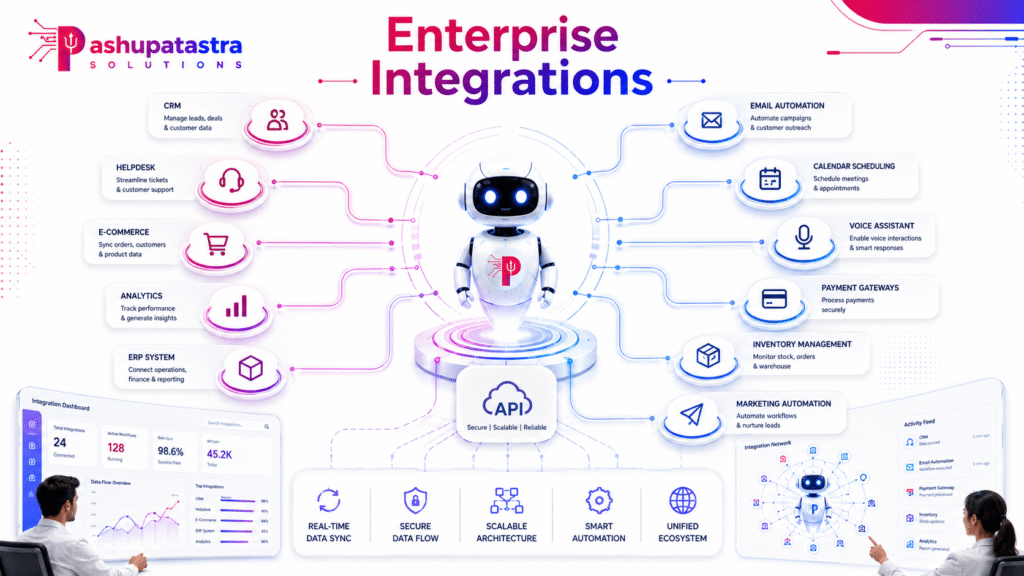
A chatbot’s value hinges on its integrations with core systems. Typical integration categories include:
- CRM and Sales Tools (e.g. Salesforce, HubSpot, Microsoft Dynamics): Chatbots that integrate with CRM can read and write customer records, personalise greetings, and automatically log leads or tickets. For sales chatbots, embedding with the CRM means capturing new lead data and automating follow-ups.
- Helpdesk/Ticketing Systems (e.g. Zendesk, Freshdesk, ServiceNow): When a chatbot links to your helpdesk, it can check ticket status, append new tickets (escalations), or resolve common issues directly. Integration ensures conversations flow into your existing support workflow with full context.
- Analytics and BI Platforms: Conversational analytics (via built-in dashboards or third-party tools like Botanalytics, Dashbot) let you monitor intent accuracy, containment, user satisfaction, etc. Strong bots export their interaction data to BI systems or Google Analytics. This lets ops teams track KPIs (see ROI section below).
- E-commerce Backends (e.g. Shopify, Magento, SAP Commerce): For online retail, integration is critical. An e-commerce chatbot must query inventory, order status, shipping, pricing, etc. As one guide notes: “An ecommerce chatbot connects to your order management, inventory, and CRM systems. This allows it to answer questions about specific orders, stock availability, and return status in real time.”. Well-integrated bots can automate returns, upsell products, and recover abandoned carts by accessing live catalog and cart data.
- Voice/Telephony (e.g. Twilio, Amazon Connect, Google Contact Center AI): Voice AI chatbots turn chatbot logic into phone agents. They need integration with telephony or IVR systems. This allows customers to speak with the bot over the phone or within a smart speaker. Leading platforms support multi-channel engagement (text chat + voice call).
In each case, the chatbot platform should offer APIs or connectors for these systems. When evaluating vendors, verify they list integration with your specific CRM/e-commerce/helpdesk. Without integrations, a chatbot will only answer generic FAQs and cannot perform business functions (the user will have to re-enter details later).
Security & Compliance
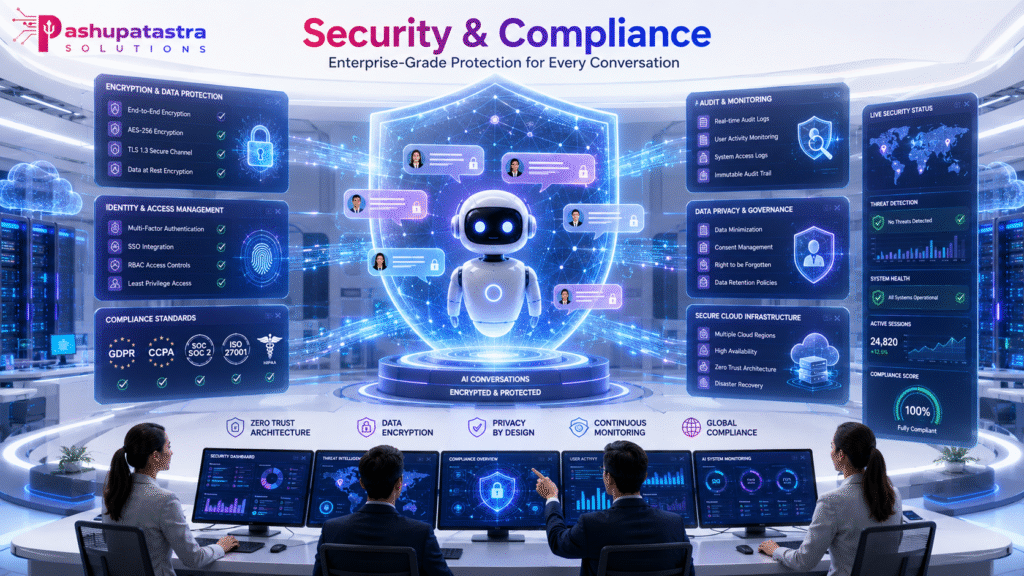
Data Residency & Encryption: Enterprises must consider where chatbot data lives. Cloud LLM services now offer regional hosting. For example, Azure OpenAI can be deployed in specific data-centers (e.g. Switzerland North) so that prompts and completions stay within a country’s borders. Similarly, vendors often allow customers to choose data regions for storage. All leading platforms encrypt data in transit and at rest to protect sensitive content (e.g. customer PII).
Privacy & Regulations: Chatbots handle personal data, so they must comply with laws like GDPR, CCPA, HIPAA, etc. Vendor platforms typically provide Data Processing Agreements and disclaimers. For instance, OpenAI explicitly supports GDPR/CCPA/HIPAA and lets enterprise customers manage data retention and opt out of training usage. Microsoft’s Azure OpenAI is likewise GDPR-compliant and offers customer-managed keys and pseudonymization options. In practice, businesses should ensure chatbots obtain explicit user consent for data use, display privacy notices, and implement data-subject rights (delete user data on request). Audit logs are critical – chatbot platforms should track who asked what, when, and how the bot responded, to allow data deletion or breach analysis.
Access Controls & Governance: Enterprise products include role-based access controls (RBAC), single sign-on, and admin dashboards. For example, OpenAI Business products provide fine-grained admin controls, audit logs, and SAML/SSO support. The chatbot itself should escalate to humans on low-confidence or sensitive queries (as part of fallback flows, discussed later). Vendors often obtain security certifications (SOC 2 Type 2, ISO 27001/27701, PCI-DSS, etc.) to give compliance assurance. When selecting a chatbot, look for these accreditations and a clear security whitepaper. Key questions for the vendor: Can you restrict data to certain countries? Can you audit all queries and answers? Are encryption keys customer-managed? Does the vendor sign a Business Associate Agreement (for healthcare) or agree to data protection annexes?
Multilingual & Localisation Support
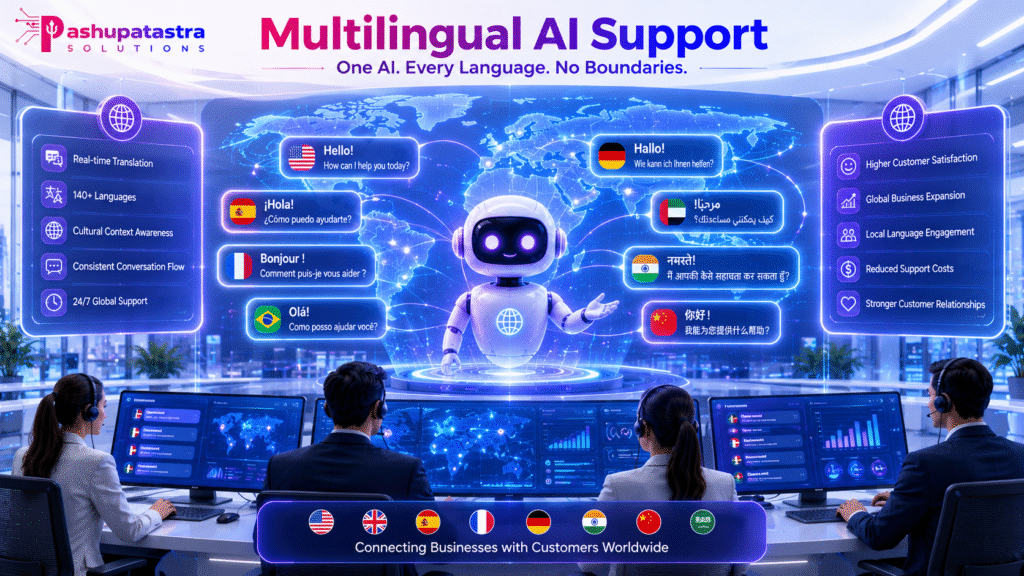
Global businesses need chatbots that speak many languages. Modern AI bots excel here. Unlike rule-based bots (which require a separate scripted flow in each language), AI-driven chatbots can automatically detect and respond in dozens of languages. In practice, an LLM chatbot can translate on the fly or generate in-language replies without a separate translation layer. For example, Fin AI (an LLM-based service) natively supports 45+ languages, covering 95% of global internet users. Ada (a hybrid platform) reports 60+ languages by combining translation services and English fallback.
Table-driven localization versus AI-driven translation highlight this difference: rule-based chatbots “usually mean pre-translating every possible response” for each language, whereas AI-chatbots can “generate responses in various languages without needing separate, explicit translation steps”. This means AI chatbots scale more easily to new languages. They also better handle nuances and slang. However, true localisation goes beyond text translation: quality chatbots also format dates, times, and currency per locale, handle right-to-left scripts (Arabic/Hebrew), and respect cultural norms. Some platforms offer built-in multi-language NLU models; others allow training intents per language or integration with translation APIs.
Key point: If you need international support, prefer LLM/NLP chatbots that advertise broad language support (often 20+ languages at least). Check exactly which features are localized (e.g. some tools translate only bot outputs, not system messages). The ability to switch languages mid-chat and to maintain context is a must for good UX.
Pricing Models & Total Cost of Ownership (TCO)
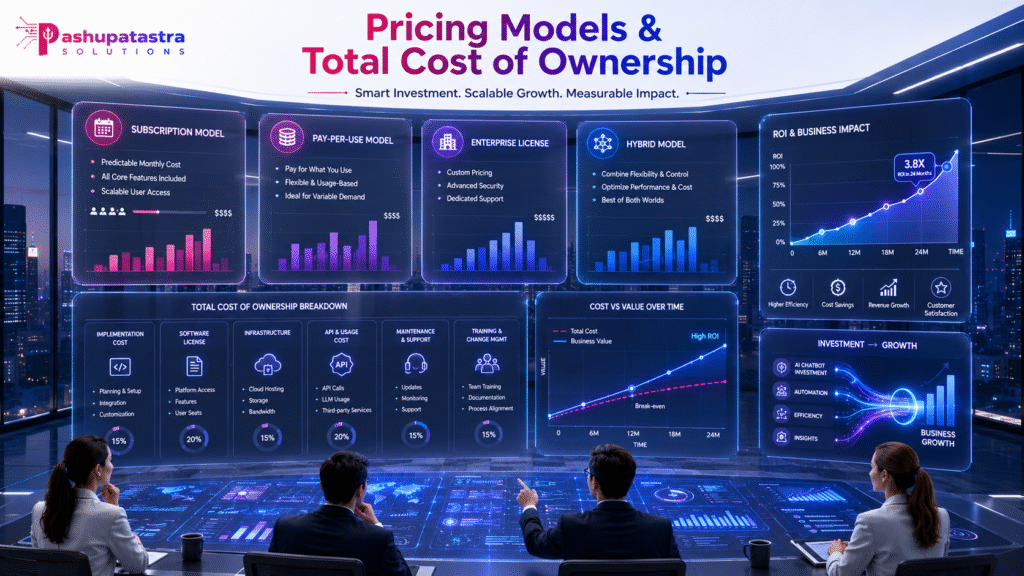
Chatbot pricing varies widely by model and vendor. Common models include:
- Subscription Plans: Many cloud platforms use tiered monthly fees. Entry-level “Chatbot SaaS” plans may start as low as $10–$30/month (often with limited usage or features). Mid-market plans typically range $30–$300/month. Enterprise bundles with unlimited features can be $1,000+/month. Some vendors price per agent seat (e.g. $50–$200 per seat per month) or per active user. These plans often include base quotas of messages or responses.
- Usage-Based (Per-Resolution/Per-Chat): AI chat platforms often charge per conversation or “resolution.” A resolution means the bot successfully handled a user’s request. Usage rates typically range from ~$0.50 to $2.00 per resolution (depending on AI model complexity). Crucially, charging per resolved chat is more cost-effective than per chat started, since failed chats (requiring a human) aren’t billed. For example, shifting 76% of 100,000 conversations to an AI at $0.99 per resolved chat could save ~$525,000/month versus all-human support.
- Per-Seat/Per-Agent: Some vendors (especially helpdesk-centric) add AI as an add-on cost per human agent. For example, Zendesk AI Agents add-on is ~$50 per agent per month plus usage fees. This model aligns costs with support team size.
- Enterprise Licensing: Large deployments may negotiate flat fees or volume discounts. These can be a combination of base license + overage charges. Hybrid models also exist (e.g. a $2,000 monthly platform fee plus a pool of conversation credits, then per-chat overage).
- One-Time Development/Implementation: If you build or heavily customise a chatbot, include development costs. A simple rule-based bot might be coded for $5K–$30K (no AI, basic logic). A bespoke AI chatbot (ML/NLP model, RAG integration, custom flows) could cost $75K–$150K+ (some reports say up to $500K or more for very complex bots). These figures include developer time, training data prep, and initial testing.
- Maintenance & Hosting: Ongoing costs include cloud hosting (especially for heavy LLM use), continuous training, and platform support. Vendors typically recommend budgeting ~10–20% of the development cost per year for maintenance. Quickchat AI suggests annual maintenance of $5K–$15K for a mid-market bot. AI usage costs (tokens, API calls) add on top – for large volumes this can be significant and should be monitored.
- Hidden Costs: Watch for overages. An assumed fixed plan can balloon if your chat volume spikes. Many companies underestimate total cost of ownership: as Bland AI notes, a “$2,000 monthly subscription can become $8,000” once overage fees, integration projects, and customisation are factored in. Always read the vendor’s usage terms and consider a buffer for growth or seasonal peaks.
Price Ranges (Quick Reference): Basic bots (scripted FAQ) can be near-free to ~$100/month. AI/NLP chatbots for SMEs often run ~$500–$5,000 per month. Full enterprise conversational platforms (with custom integrations and voice) typically start at $10,000+/month. A useful industry rule-of-thumb is $0.50–$6 per resolved conversation for planning budgets.
Maintenance & Governance
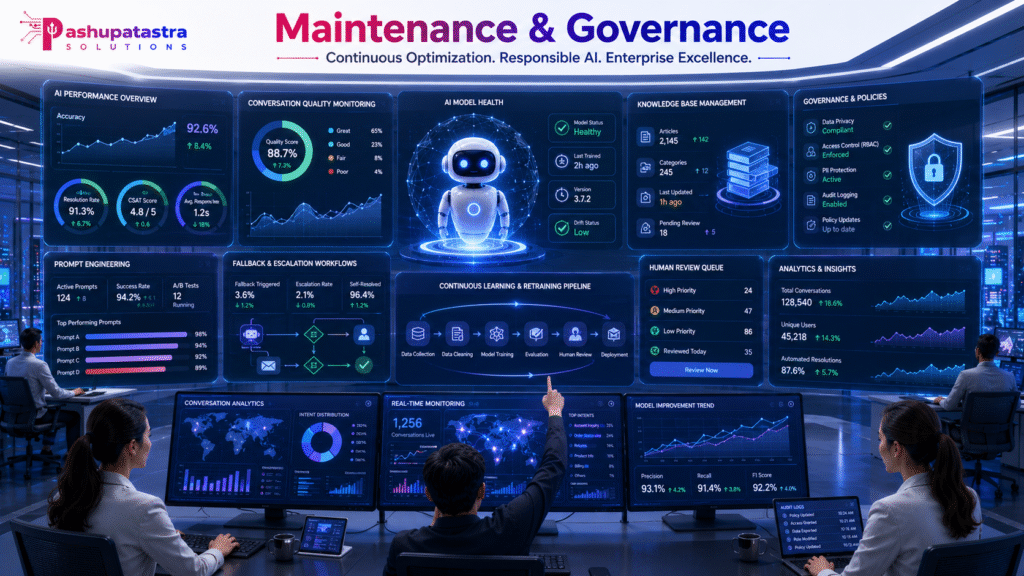
Effective chatbot deployments are ongoing programs, not one-off launches. Key maintenance and governance practices include:
- Continuous Training & Retraining: Monitor which user queries fail or are escalated. Gather real conversation logs to create new intents or improve answer content. As Aidify recommends, “build feedback into fallback flows… track which queries lead to confusion and roll them into training modules.”. In practice, your team should review weekly or monthly logs and update the bot’s knowledge base. LLM assistants benefit from iterative prompt tuning and adding context or guardrails as needed.
- Monitoring & Analytics: Use chatbot analytics to track metrics (see ROI section). Watch containment and escalation rates, dialog completion times, and user satisfaction (via surveys). Tools like Botanalytics or built-in dashboards help spot issues. For example, a rising escalation rate might indicate outdated training data. Also monitor usage spikes or dropped messages (to catch technical glitches).
- Fallback and Escalation Flows: Design clear paths when the bot cannot answer. Typical patterns: a polite prompt (“I’m sorry, I didn’t understand…”), an option to transfer to a human agent, or a redirection to FAQs/knowledge articles. Always include a human-in-loop fallback. Well-designed fallbacks improve retention – bots with good escalation design can see 30% higher user satisfaction. Ensure the chatbot hands off conversation context so the human agent sees the full transcript.
- Prompt Engineering: For LLM-based bots, a small prompt-engineering team can make a big difference. Adjust system prompts (the initial instructions given to the AI) to align tone and domain. Refine example queries and expected answers to reduce hallucinations.
- Governance & Risk Management: Establish internal policies for your chatbot (who owns content, how data is handled, how to approve training data). Some companies form an AI governance committee to review new use-cases. Document your data flows and ensure you can audit them. Label the chatbot appropriately (e.g. “powered by AI”) and set user expectations. If in regulated industries (finance, health), you may need extra oversight and strict review of every conversational flow.
Measuring ROI: KPIs, Examples and Case Studies
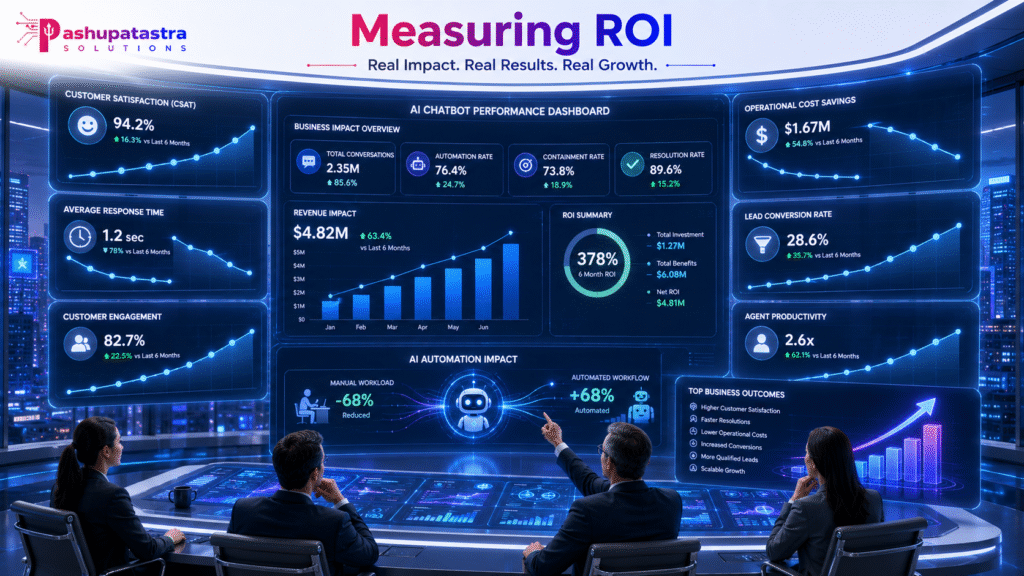
A rigorous ROI plan is essential. Common KPIs to track (month-over-month) include:
- Containment Rate: % of conversations resolved by the bot without a human. 60–70% is a good target for a general-purpose bot at 3 months. Top bots can reach 80+% on narrow tasks.
- Cost per Conversation: (Total bot cost ÷ number of conversations). AI bots can cost as little as $0.04–$0.40 per chat (depending on model and length), versus $4–$18 for a human-handled ticket (per case studies).
- Human Ticket Reduction: % decrease in support tickets. This directly translates to labor savings. For example, a 50% ticket drop (on 400 tickets/mo @ 8 min each) saves ~27 staff-hours/mo. Softomate’s clients saw 40–70% reductions.
- Lead/Conversion Lift: If the chatbot engages leads, measure additional qualified leads and conversion rate. Softomate cites 20–35% more leads captured versus a static form.
- Customer Satisfaction: Survey users post-chat. Good bots sustain CSAT ≥70%.
- Response Time: Chatbots move from hours (email) to seconds; faster service can increase conversion (research shows 5-min lead follow-up is 21× more effective than 30-min).
ROI Calculation (example): Consider a UK retailer handling 400 enquiries/month. Human agents cost £6.50/enquiry. Deploying an AI bot with 60% containment (handling 240 chats) at £0.25/chat yields:
This simple calc (from Softomate Solutions) shows clear savings. Note the ROI can be even higher when accounting for after-hours sales (bots capture out-of-hours leads) and reduced churn.
Industry Benchmarks: Research indicates typical payback in 3–6 months if use case is well-chosen. Forrester/Capterra find average ROI timelines of ~6–9 months for enterprises (2–4 months for SMBs). Leading companies report $3.50 gained for every $1 spent on AI support. One analysis projected >$2M annual savings when shifting 76% of 50,000 monthly chats to AI.
Case Summaries: In practice, real deployments illustrate these gains. A London e-commerce site deployed a chatbot and within 3 months saw 67% containment, cut support costs by £3,200/month, and increased sales leads by 25% (payback ~4 months). An accounting firm’s bot handled complex FAQs 24/7, freeing 1 FTE and boosting demo bookings by 30%. In all cases, success factors were high query volume, good data integration, and strong training data. (See Softomate case studies for details.)
Vendor Comparison: Rule-Based vs Hybrid vs LLM-First
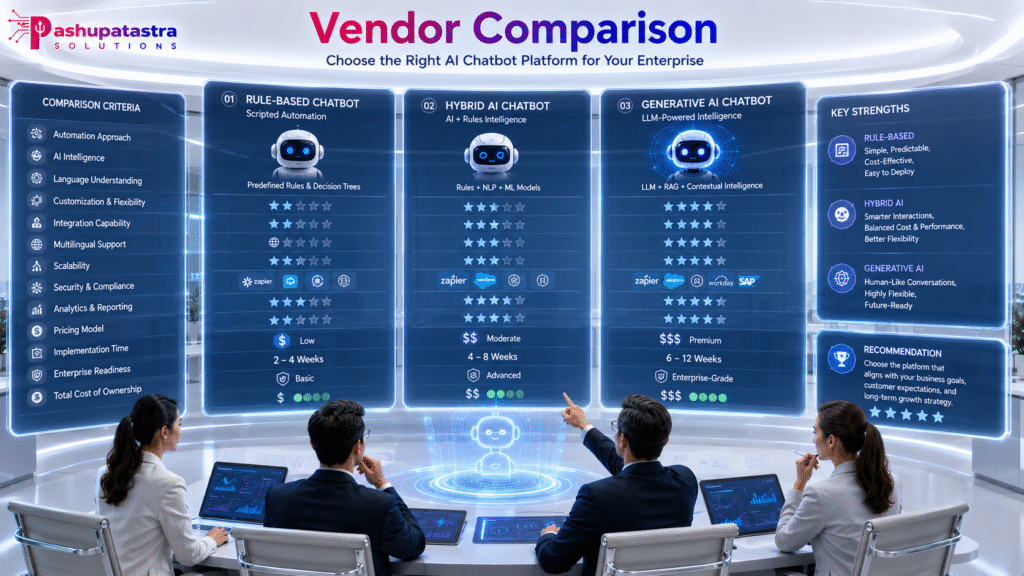
The table below compares three types of chatbot solutions, with representative features, pros/cons, use cases, and ballpark pricing:
| Feature/Aspect | Rule-Based | Hybrid (NLP + Flow) | LLM-First (Generative AI) |
| Technology | Pre-scripted flows/decision trees; keyword matching; minimal ML. | Combines scripted logic with NLP intent matching (often embedding/training). May use simple ML for intent. | Uses advanced LLMs (e.g. GPT, PaLM) and RAG. Generates responses on-the-fly. |
| Pros | Very predictable and fast to deploy. Low cost. No training needed. | Can handle moderate variability; better UX than pure rule-based. Easier integration with existing chat scripts. | Handles complex, open-ended queries and informal language. Scales to many use cases (sales, service, info). Adapts over time. |
| Cons | Easily breaks on unexpected input. High maintenance if queries change. Limited conversational UX. | More complexity and cost than rule-based. Still may fail on very open questions or slang. AI component needs training data. | Higher cost (compute + developer). Risk of hallucinations or biased output. Requires strong data governance and monitoring. |
| Typical Use Cases | Simple FAQs, menu-driven support (e.g. static info, scheduling). Low-risk flows. | Customer support with common intents, lead qualification with standard questions, basic order status. Knowledge-base Q&A with fallback. | Customer self-service (complex inquiries), lead gen with personalized dialogue, NLU-heavy scenarios, enterprise assistants. |
| Language Support | Limited (each flow translated manually). 1–3 languages typical (depends on effort). | Multi-language intent recognition often requires separate NL models per language, but more scalable than rule-based. | Hundreds of languages (LLMs often support ~50+ natively). Automatic detection and translation built-in. |
| Integrations | Can use APIs, but often added manually. Good with fixed interfaces (e.g. simple CRM lookup). | Good integration with CRM, helpdesk, e-commerce etc. Will use API hooks for known intents (e.g. lookup ticket). | Deep integration via APIs and RAG: can pull real-time data into answers (orders, accounts, inventory). |
| Security/Compliance | Typically on-prem or private cloud (lower risk). Easier to audit since logic is explicit. | Varies by vendor. Cloud options may follow standard compliance. Better control than LLM since data flow is limited to known endpoints. | Usually cloud SaaS (e.g. OpenAI, Azure). Must ensure vendor’s compliance. Offer features like data residency, encryption, audit logs. |
| Price (approx.) | Very low. Many rule-bots have free tiers or <$100/month for SMB. Dev cost ~ $5k–$30k. | Mid-range. Standard SaaS plans $30–$300/month for SMB, enterprise from $1k+. Dev cost $30k–$150k. | Highest. Cloud usage ~$0.50–$5 per dialogue. Teams often budget $500–$2000+/month. Custom implementation can be $150k+. |
| Examples | Landbot, Flow XO, ManyChat (Chatfuel) in pure rule mode; older FAQ bots. | Intercom, Zendesk’s Hybrid AI, Ada, Rasa (with NLP), Genesys, Oracle Digital Assistant. | OpenAI/ChatGPT API, Microsoft Azure OpenAI, Google Vertex AI (Dialogflow CX), Amazon Lex/Bedrock, Fin.ai, Anthropic Claude. |
Decision Framework (Flowchart)
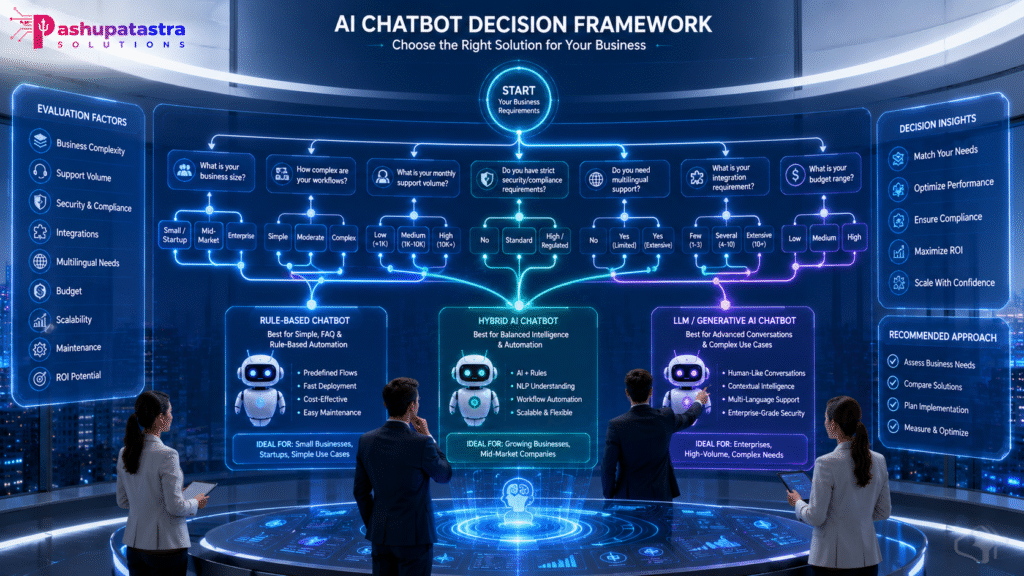
To choose among chatbot types and vendors, use a decision flow like this:
- If YES to simple predictable queries, a rule-based bot may suffice.
- Otherwise, check compliance/regional needs. If strict data control is paramount (healthcare, legal), a hybrid or on-prem solution (e.g. Rasa, Botpress) might be chosen.
- If you need rich conversation and creative answers, go LLM-powered (ChatGPT/GPT-like).
- If needs are in-between, a Hybrid NLP bot can balance cost and capability.
Procurement Checklist
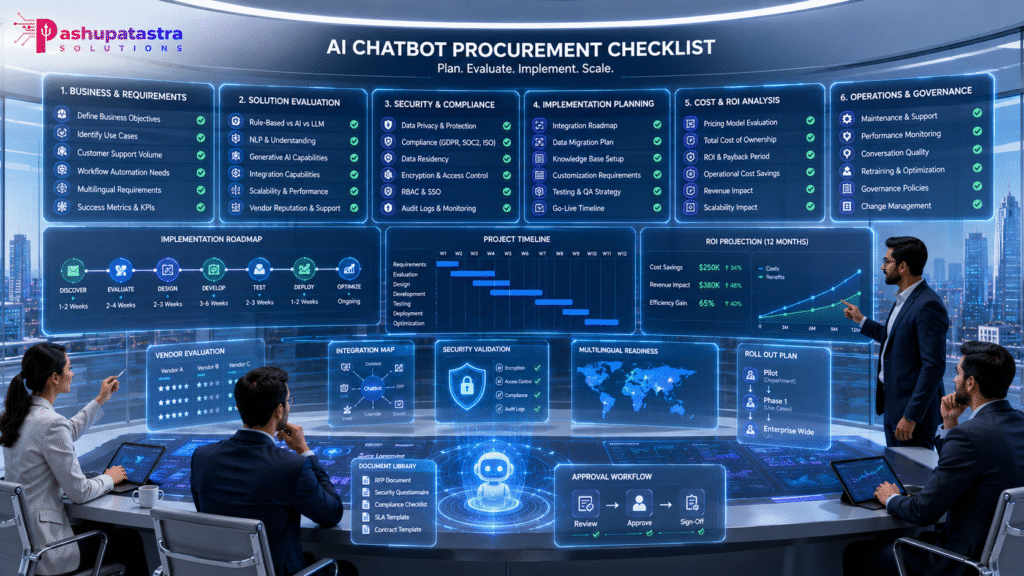
Before buying or building a chatbot, run through this checklist:
- Business Goals & Use Cases: Clearly define objectives (e.g. reduce support tickets, capture leads, 24/7 support). Match technology to need.
- Query Volume & Complexity: Ensure enough monthly volume (>200–500 cases) to justify AI cost. Identify top query types.
- Integration Needs: List required systems (CRM, ERP, helpdesk, CMS, e-commerce, voice). Does the platform natively connect or offer APIs?
- Security & Compliance: Check data residency (need EU/UK data-at-rest?), encryption standards, regulatory compliance (GDPR, HIPAA, etc), and audit log capabilities.
- Language Requirements: Determine languages/dialects needed. Ensure the bot supports them natively or via reliable translation.
- Pricing Model & Budget: Decide on licensing model (subscription vs usage vs seat). Compute expected costs: include base plan, per-conversation fees, setup fees, and expected overages.
- Development & Maintenance: Will you buy a SaaS platform (lower upfront dev) or build custom? Budget for initial build ($5k–$150k) and ~10–20%/yr for updates.
- Training Data: Gather your FAQs, knowledge base, past chat logs. Quality training data is crucial – insufficient data is the top cause of failures.
- Governance: Assign owners for the project, content updates, and data privacy. Plan for a human review loop.
- Vendor Track Record: Look for case studies or references in your industry. Demand a demo on your use case.
- Metrics & KPIs: Define how you’ll measure success (containment rate, cost savings, CSAT). Have a plan for a baseline and regular reviews (e.g. 90 days, 6 months).
- Fallback Strategy: Confirm the bot can escalate to humans or show “sorry, let me connect you” routes. A bot with no fallback is high risk.
- ROI Projection: Use conservative estimates (e.g. 50–60% containment). Validate whether projected savings cover costs within your desired payback period (typically <6 months).
Frequently Asked Questions (10Q)
What is the difference between rule-based and AI chatbots?
Rule-based bots follow scripted flows (decision trees) and can only answer what you explicitly program. AI chatbots use NLP/machine learning to interpret free-form input, so they handle variability better. Hybrid bots blend both: scripted paths with some AI intent recognition.
Do I need an LLM like ChatGPT for my chatbot?
Use LLMs if you need human-like, open-ended answers or personalization. For simple FAQs or tightly controlled dialogues, a standard NLP or rule-based bot may suffice. LLM bots cost more (and need safeguards) but offer richer capabilities.
How do I integrate a chatbot with my CRM/helpdesk?
Most enterprise chatbots offer built-in connectors or APIs for major CRMs (Salesforce, HubSpot, MS Dynamics) and helpdesks (Zendesk, ServiceNow). An integrated bot can lookup customer accounts, update tickets, and write lead data back to the CRM. Always validate an integration through a PoC: e.g. test if the bot can create a Zendesk ticket via the API.
What about data privacy and regulations?
Ensure any cloud chatbot complies with your region’s laws. Platforms typically support GDPR/CCPA (consent, deletion, transparency) and industry standards (ISO, SOC 2). Look for features like data residency (store EU data in EU data centers) and tools to purge user data. Also ensure encrypted communication and strong access controls.
How many languages can chatbots handle?
LLM-based bots can often converse in 50+ languages out-of-the-box. Many platforms auto-detect user language and reply in kind. For specific needs (e.g. low-resource languages), check vendor documentation. Rule-based bots require manual translation of each flow, so their multilingual support is limited.
What is total cost of ownership (TCO)?
TCO includes subscriptions or usage fees plus development and maintenance. E.g. a SaaS plan might be $100/mo, but actual costs include training time, integration work, and cloud API charges. Custom bots incur dev costs ($5k–$150k+), and on-going ops (updates, monitoring) ~10–20% of that annually. Calculate both capex and opex over 3–5 years.
How do I train and update a chatbot?
TCO includes subscriptions or usage fees plus development and maintenance. E.g. a SaaS plan might be $100/mo, but actual costs include training time, integration work, and cloud API charges. Custom bots incur dev costs ($5k–$150k+), and on-going ops (updates, monitoring) ~10–20% of that annually. Calculate both capex and opex over 3–5 years.
What happens if the chatbot doesn’t understand a question?
Good bots have fallback flows. They might ask for clarification (“Can you rephrase?”), offer FAQs or knowledge base links, or seamlessly transfer to a human agent. As a best practice, design the bot to hand off with full context so users aren’t frustrated. Studies show chats with proper fallback see much better retention.
How soon will I see ROI?
That depends on your volume and scope. In high-volume, well-defined cases (e.g. e-commerce FAQs), many bots pay for themselves in 3–6 months. Benchmarks suggest SMBs often hit positive ROI in 2–4 months, enterprises in 6–9 months. Ensure you track metrics (ticket drop, agent hours saved, new leads) from day one to measure progress.
Can chatbots improve customer satisfaction?
Yes, when done right. 24/7 instant replies and quick resolution drive CSAT. According to Zendesk, average chatbot satisfaction is ~72% (versus 85% for humans), and this gap is narrowing as AI improves. Ensure your bot has a helpful tone, knows its limits, and always offers a human alternative. Properly integrated and maintained, bots can boost satisfaction by reducing wait times and solving simple issues instantly.